Resources
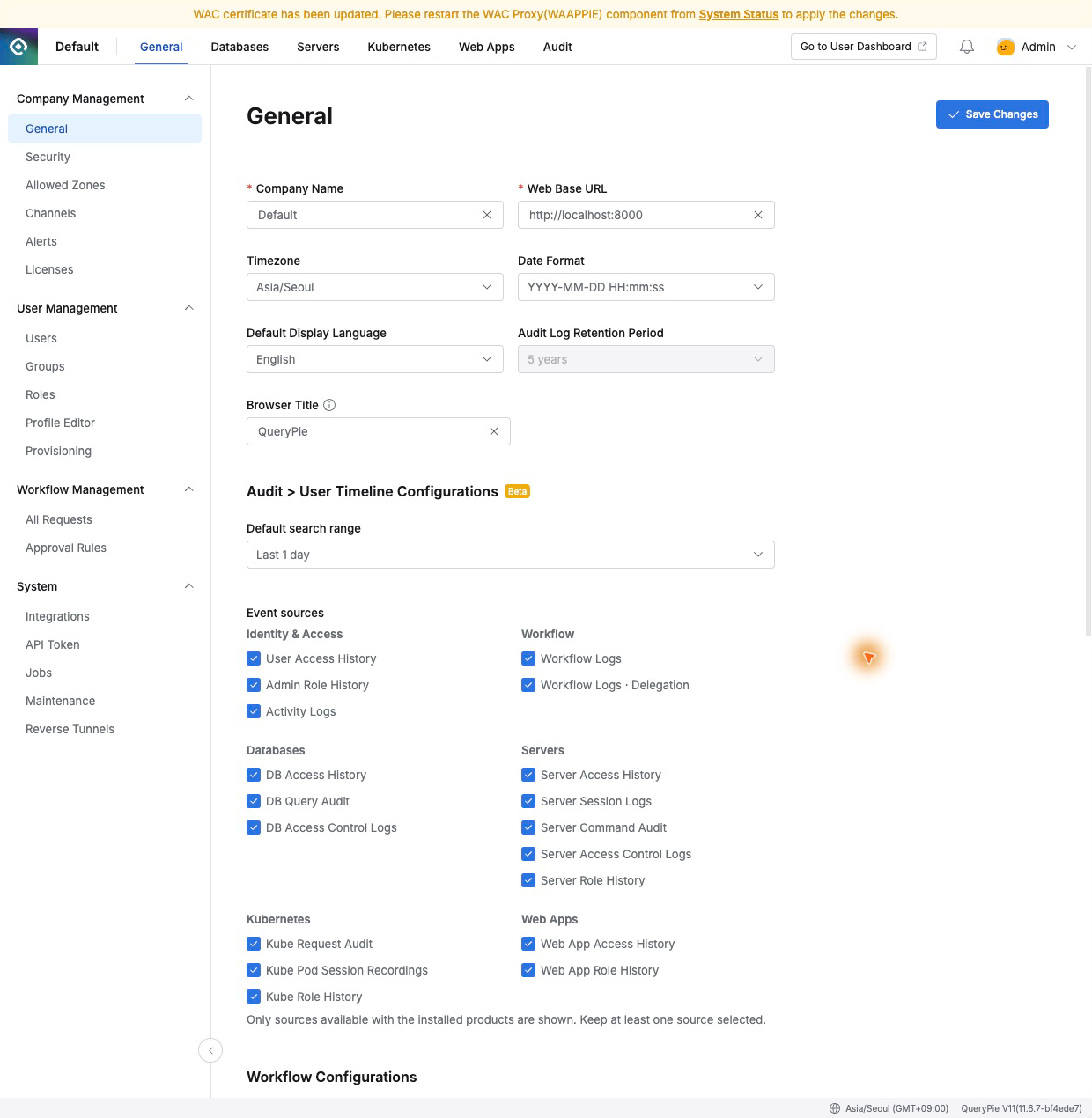
[Part 1] After a Breach, How Far Can an Attacker Go? — Why I Want to Try ACP Firsthand
Recent security incident reports keep bringing me back to the same question: ‘If an attacker is already inside, what can we still stop?’
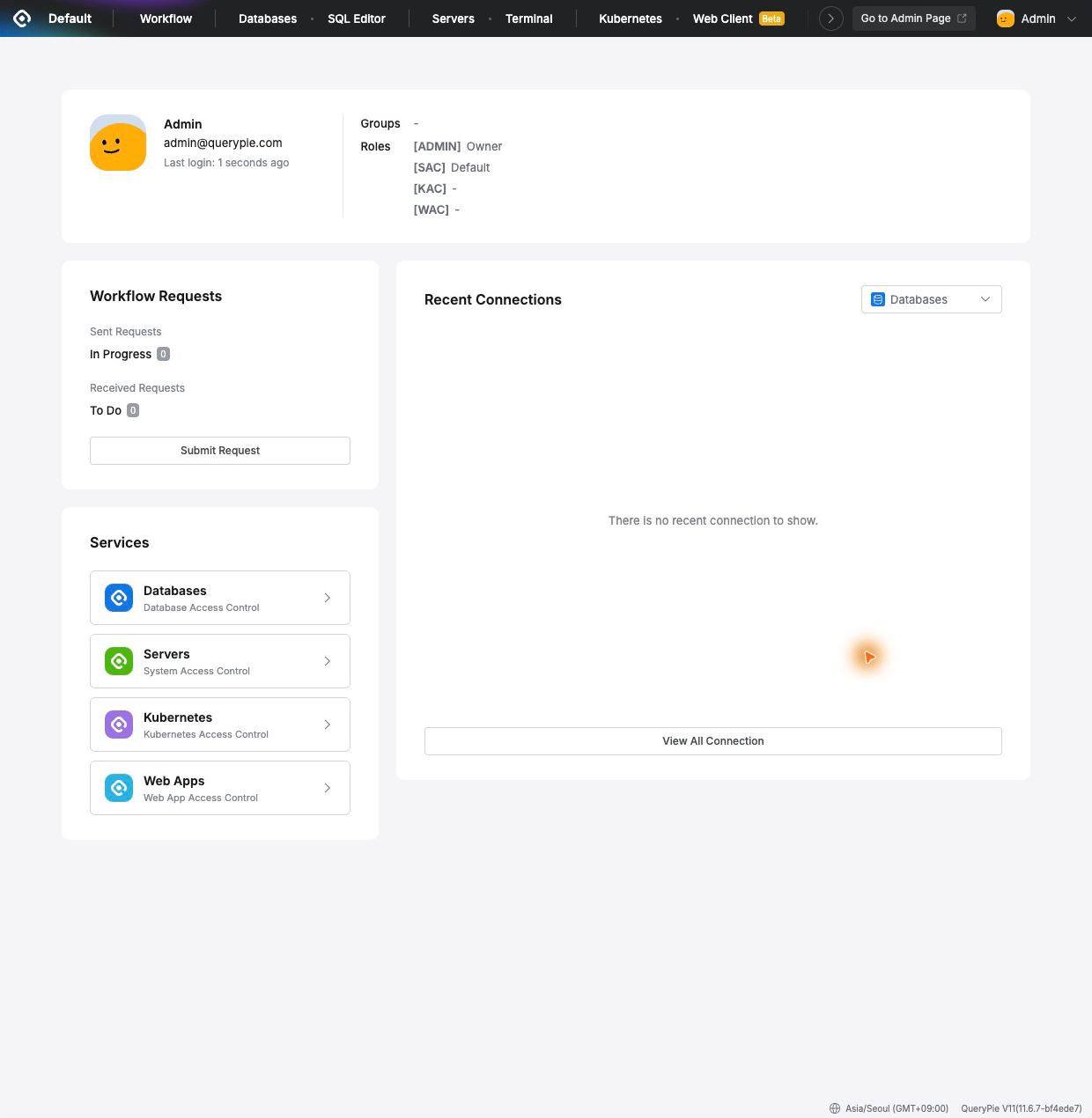
[Part 2] Installing QueryPie ACP Community Edition — A First Lab Environment for Evaluating Adoption
To explore what can be controlled after an intrusion, I installed QueryPie ACP Community Edition on my Mac. This first lab records the installation steps, issues encountered, and the checks completed before testing access policies.
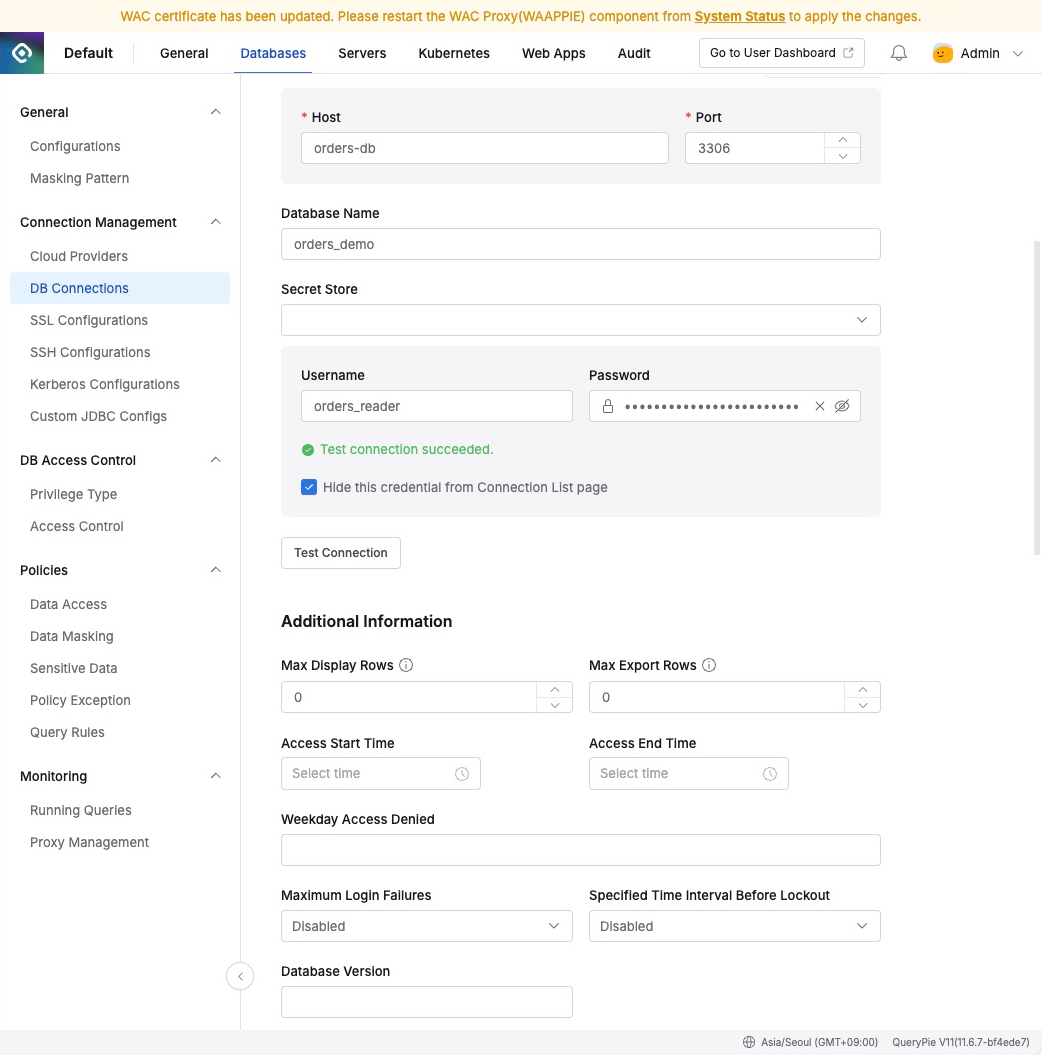
[Part 3] Connecting the First Database to QueryPie ACP — What Changes for Developers?
In Part 2, I installed QueryPie ACP Community Edition on my Mac and signed in. Now I want to connect a database and query real test data. What interested me was the developer experience: once an administrator registers a database, where does a developer run SQL? Is access limited to the browser, or can an existing database client be used?
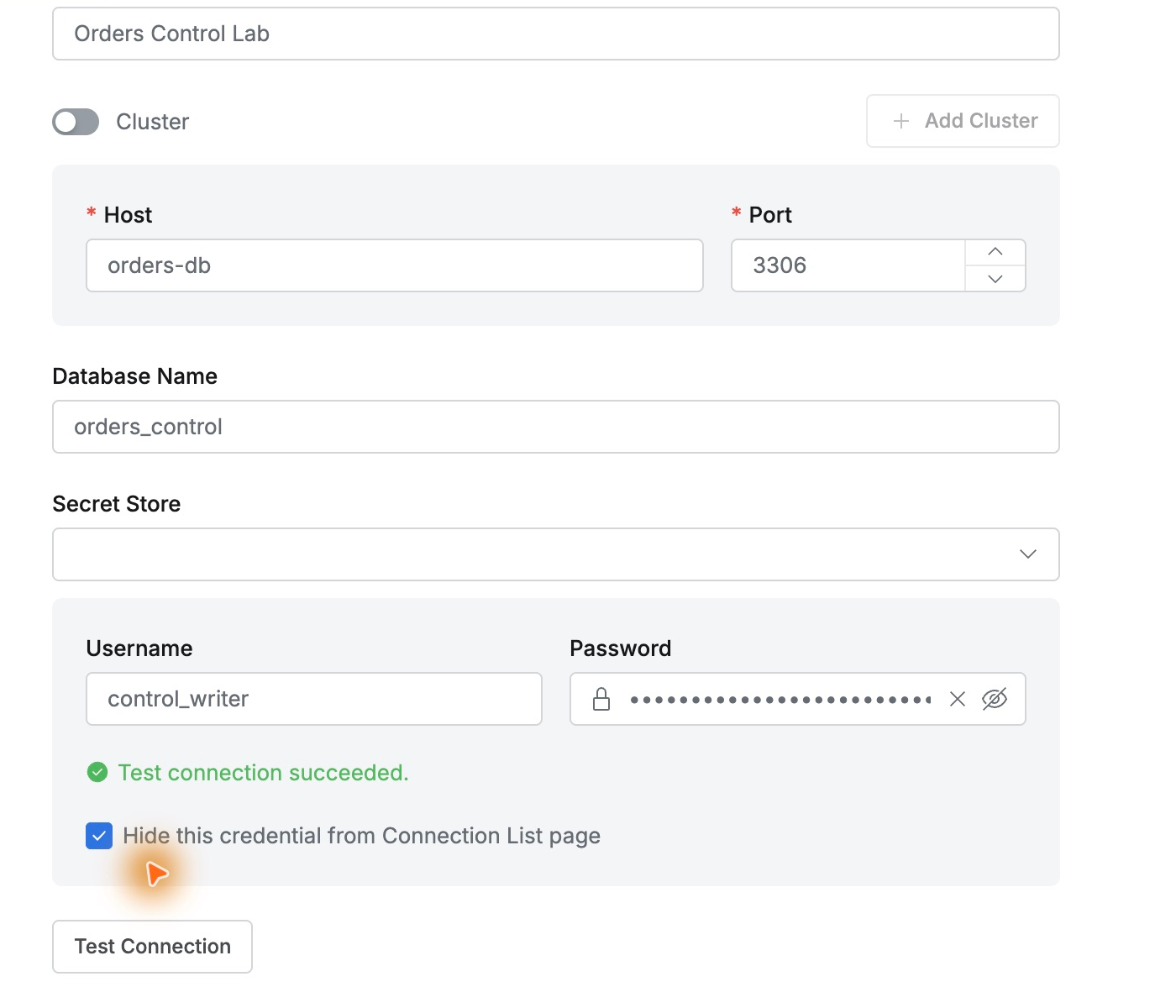
[Part 4] Running UPDATE with QueryPie ACP Read-Only Access — Blocking Queries, Revoking Access, and Reviewing Audits
Previously, I registered a database in QueryPie and queried orders in DBeaver, both with manual connection settings and Multi Agent. With reads working, I wanted to try the opposite: what happens when a read-only developer runs UPDATE, or an administrator revokes access?
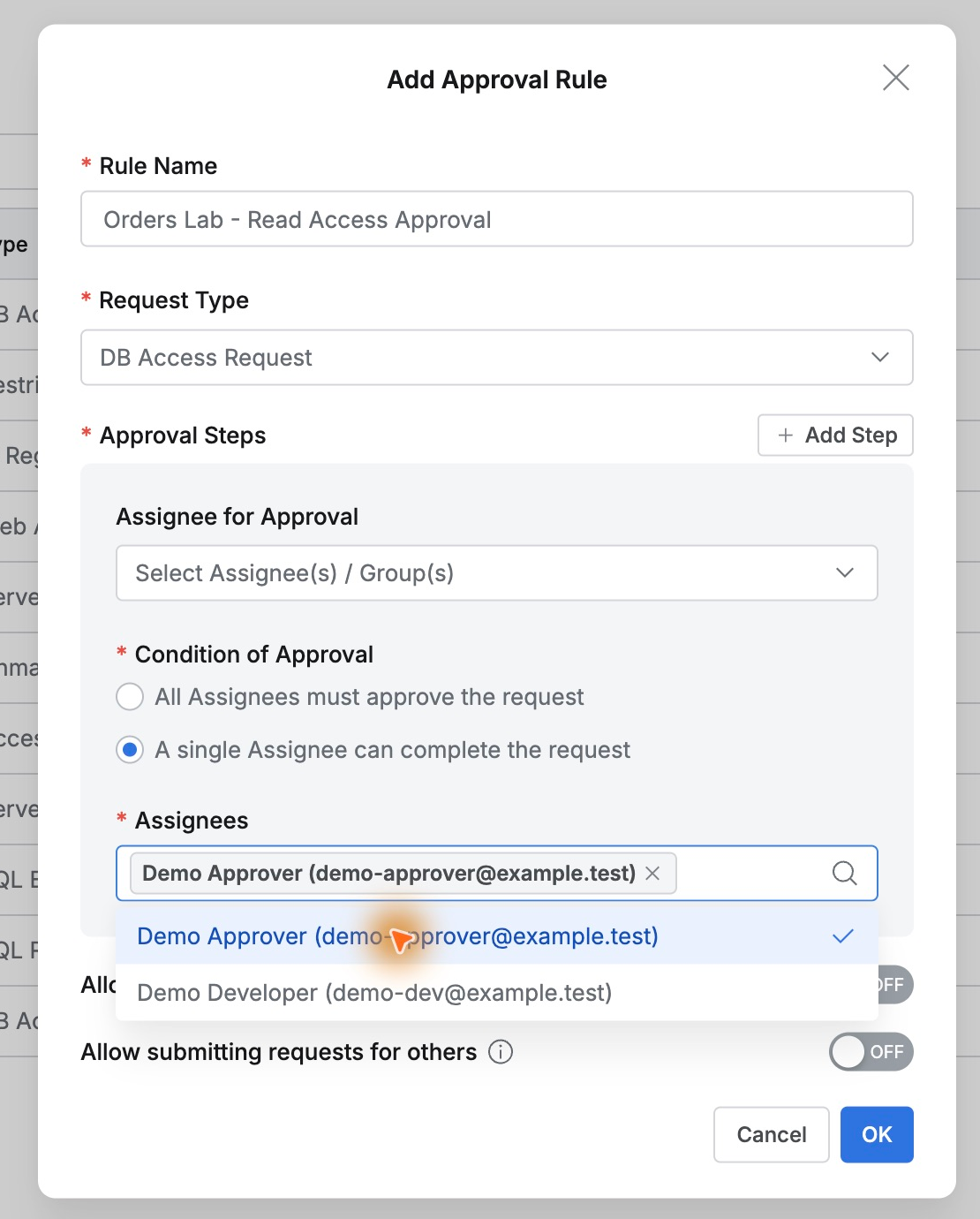
[Part 5] Requesting and Approving Database Access in QueryPie ACP — Through to Queries in DBeaver
‘I need to check order settlements. Could I have read access to the database until tomorrow?’ Database operators often receive requests like this. They need to establish which database, what privileges, and how long access is needed; as teams grow, recording who received access and why becomes important.
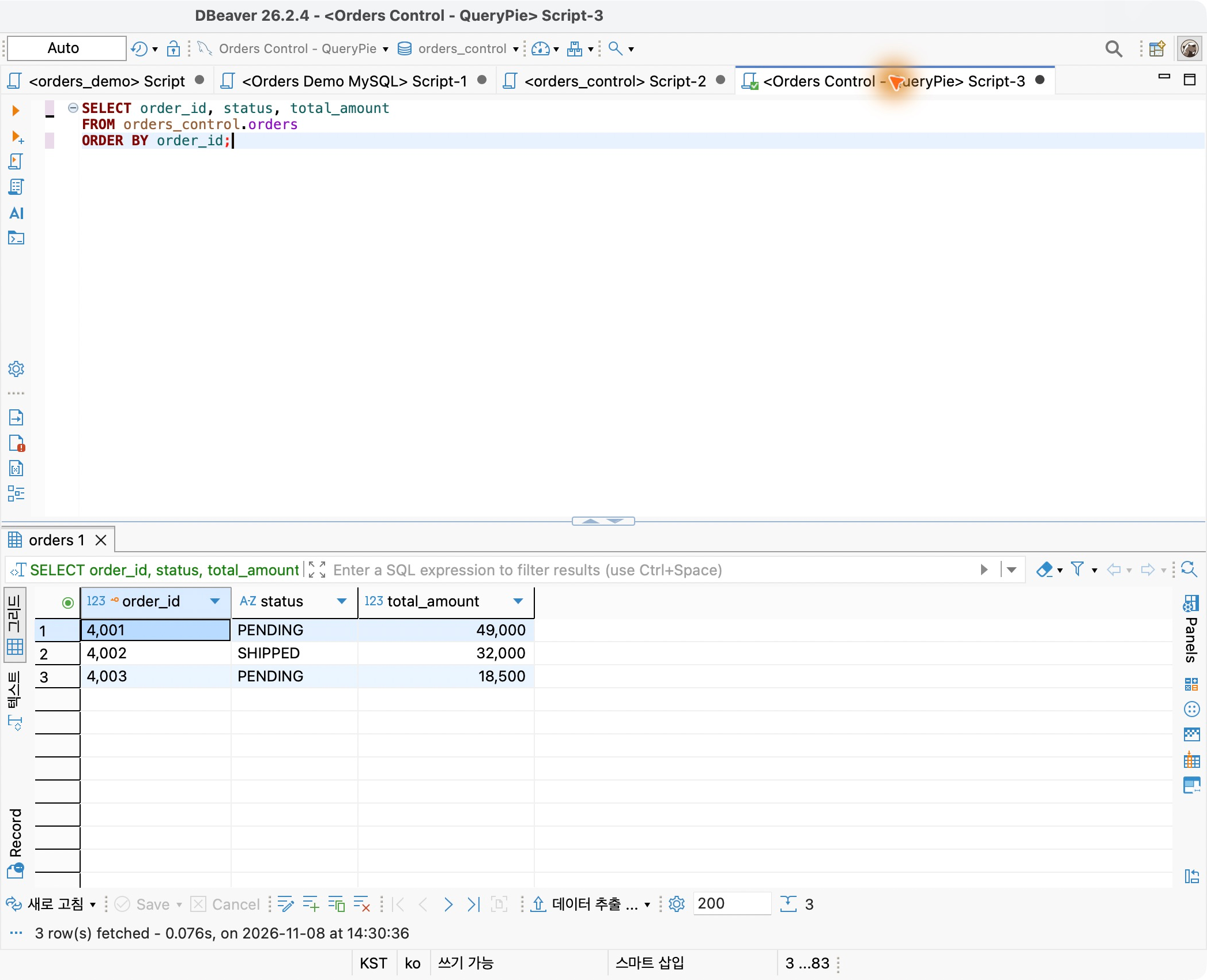
[Part 6] Approving SQL and Updating Data in QueryPie ACP — Keeping Read Access, Authorizing Only the Task
While querying a production database, sometimes one or two records need correcting: an order may still show an old status after delivery, or an incorrect value needs fixing. Even a simple production change should clearly record who changed it and why. After access approval in Part 5, this time I tried SQL approval.
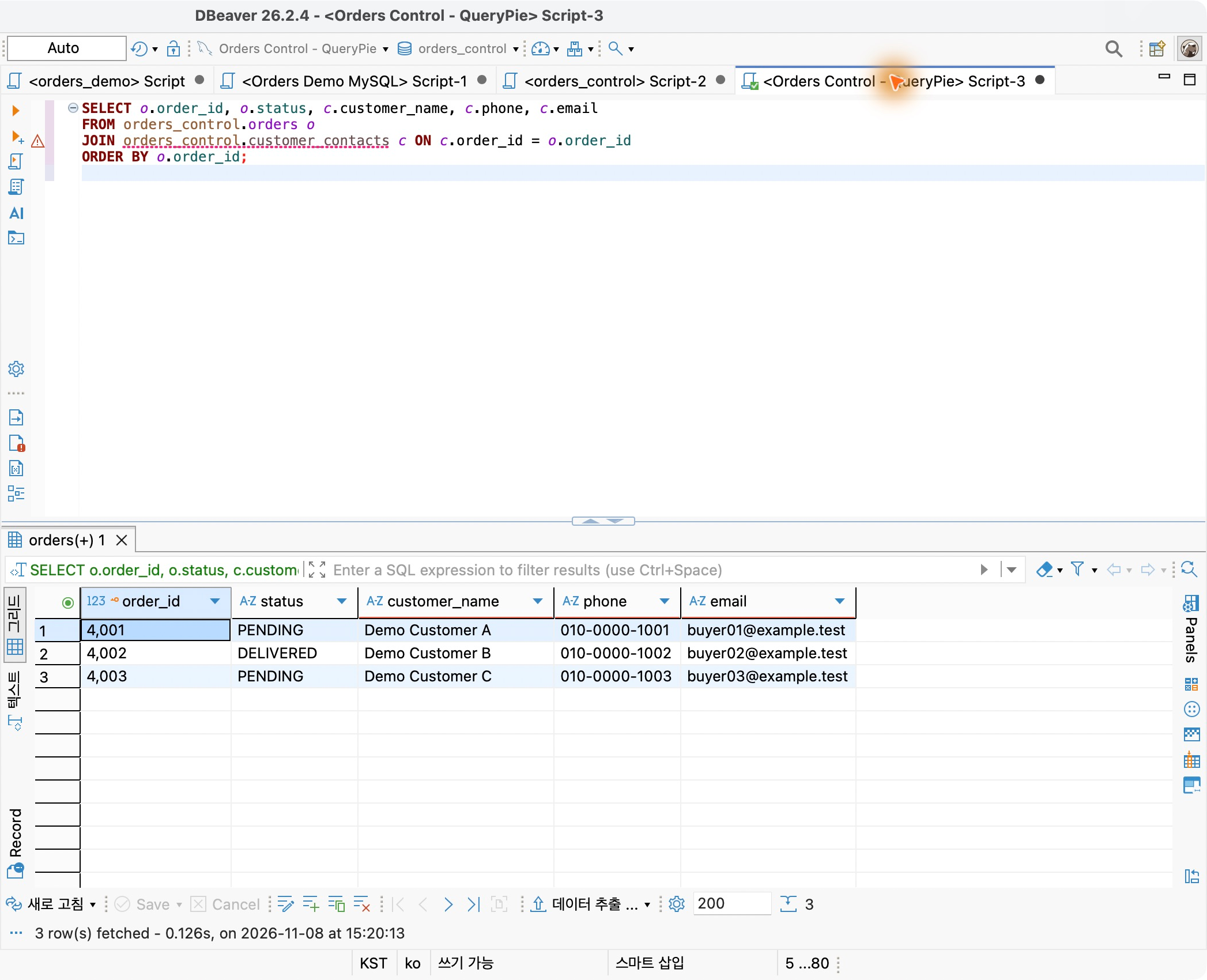
[Part 7] Allowing Database Queries While Hiding Personal Data — QueryPie Data Masking in Practice
In Part 6, I changed only necessary data through approved SQL while keeping read access. Now I wanted to control what query results reveal. Checking delivery status does not always require the customer’s full phone number and email, but blocking order queries altogether is not practical either.
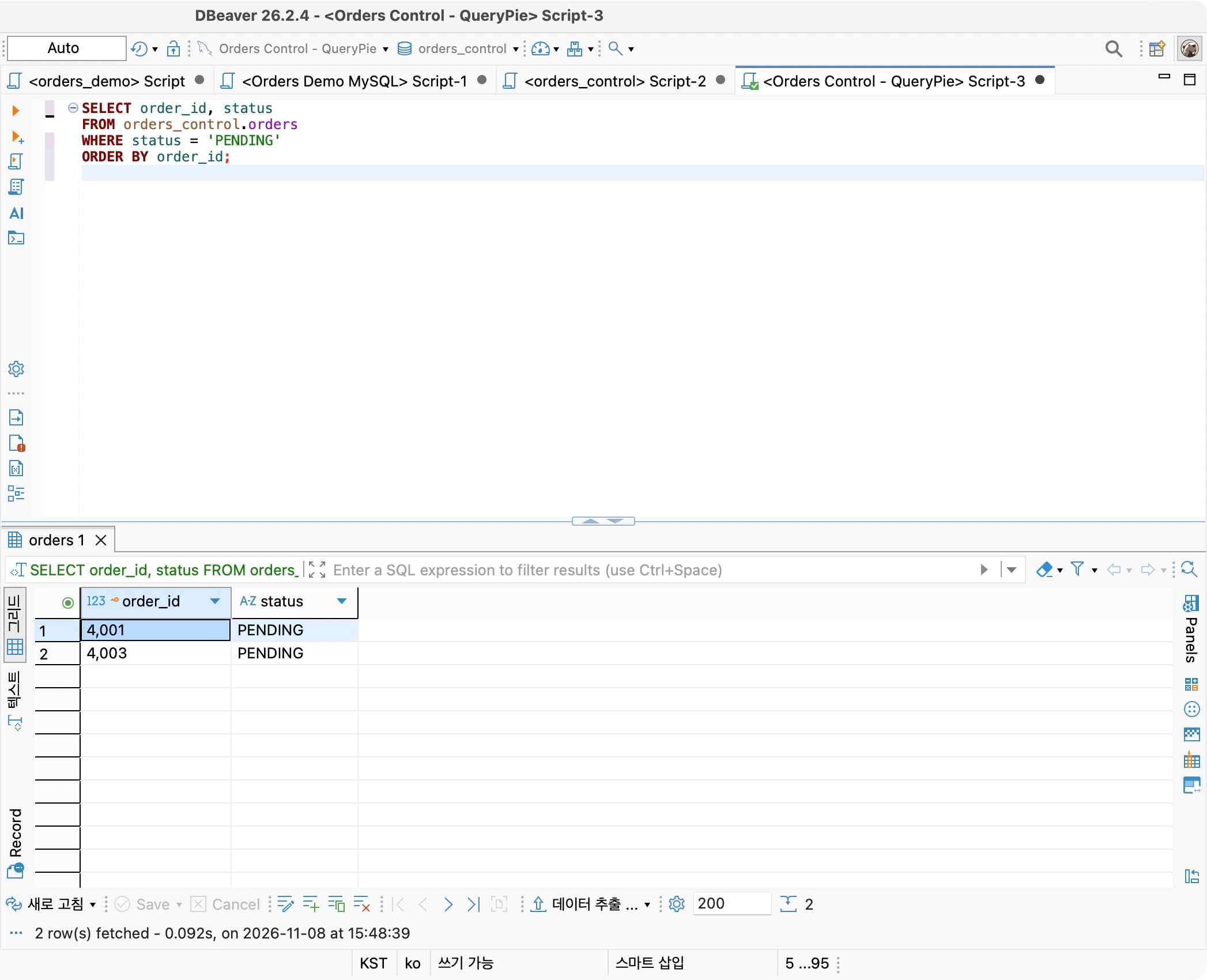
[Part 8] Who Queried Customer Information? — Tracing Database Activity with QueryPie Audit Logs
Part 7 masked phone numbers and emails for developers, with exceptions for staff needing original values. Now suppose someone asks who queried order 4002 after a delivery inquiry. Where should an administrator look, and what can the records tell us?
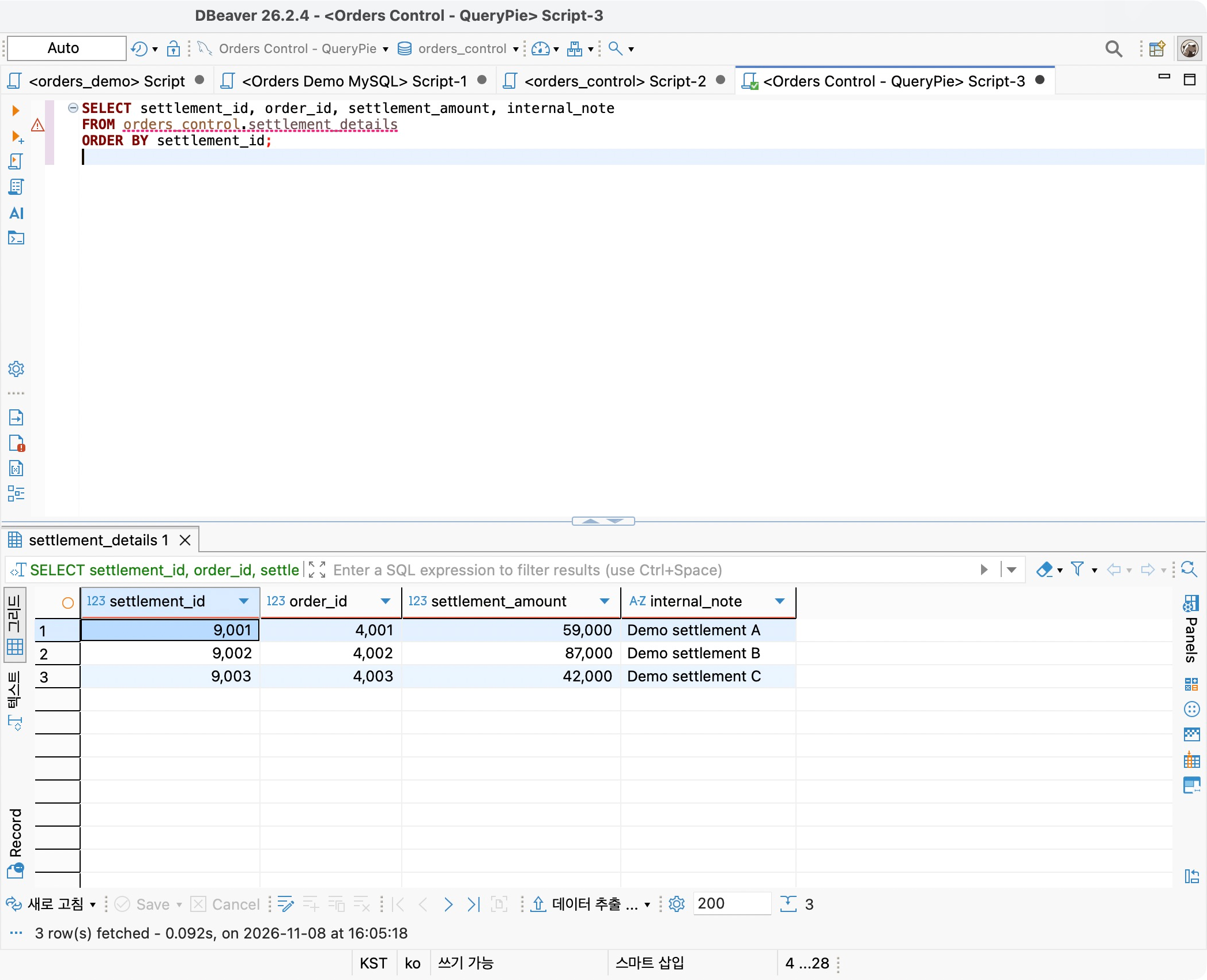
[Part 9] Allowing Order Queries While Protecting Settlements — QueryPie Table Access Restrictions
Allowing a database connection does not mean every table is needed. A developer checking orders does not necessarily need settlement amounts or internal notes. I put both tables in one database and tried allowing order queries while restricting settlements in QueryPie ACP.
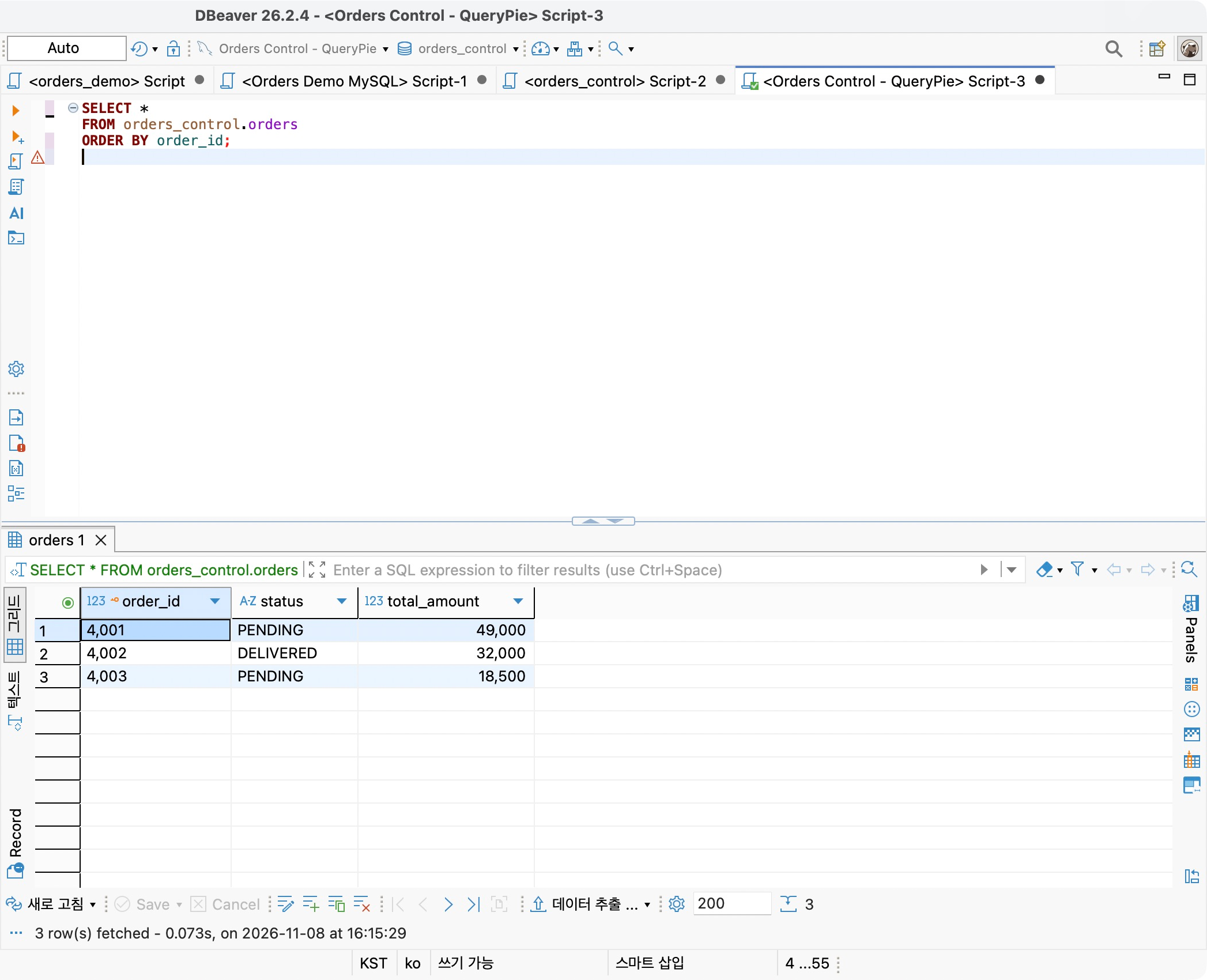
[Part 10] ‘Select Only the Columns You Need’ — Enforcing SQL Guidelines with QueryPie Query Rules
‘Specify only the columns you need.’ Teams sharing a database often adopt this rule. Habitual SELECT * retrieves extra fields such as amounts even when only order status is needed. I tried enforcing that guideline through QueryPie Query Rules.
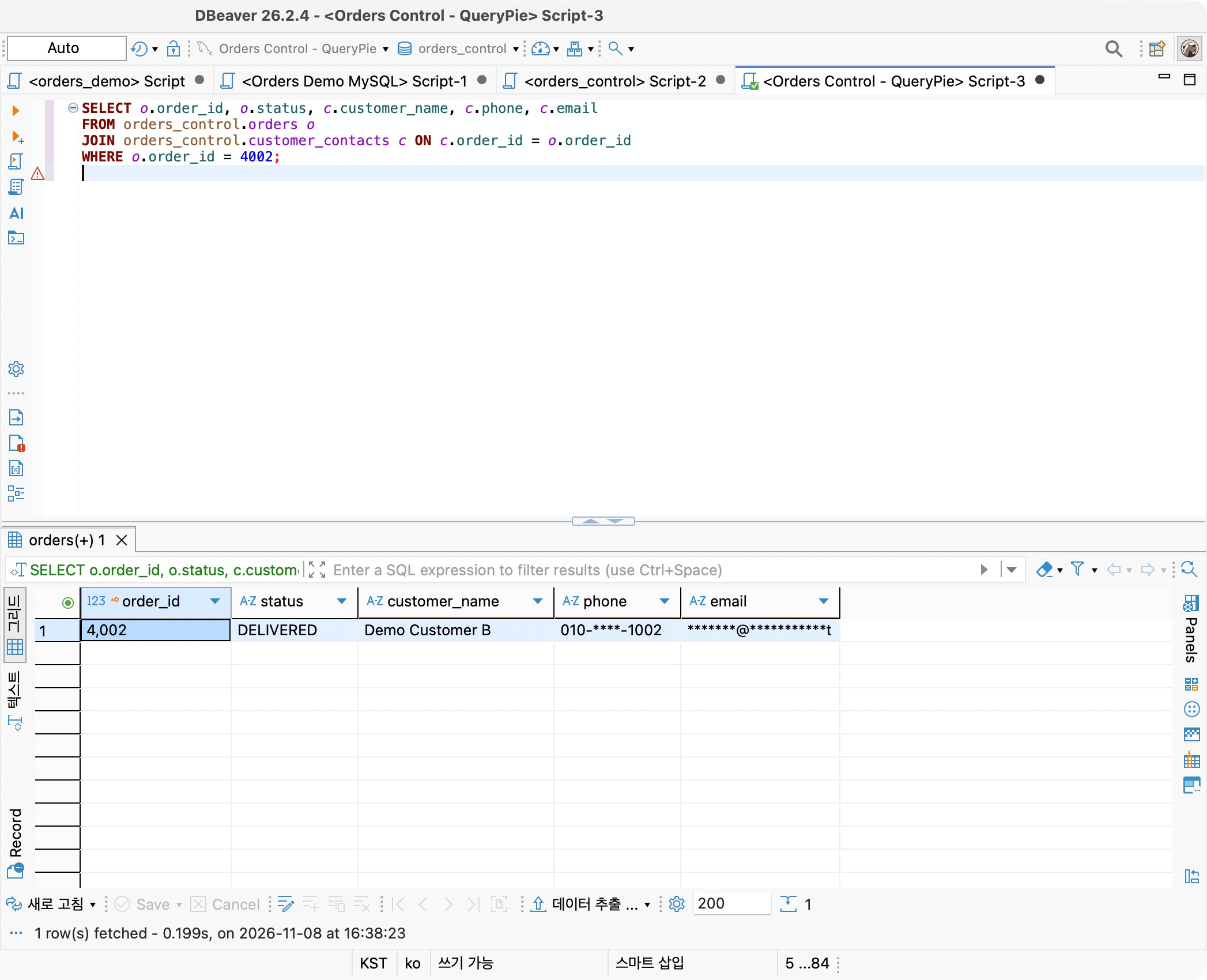
[Part 11] When a Masked Phone Number Is Needed — QueryPie Unmasking Requests and Approvals
Masking let us keep order information visible while hiding phone numbers and emails. But staff handling delivery inquiries sometimes need to contact a customer. Must the administrator change the entire masking policy each time? I tried QueryPie Unmasking Request instead.
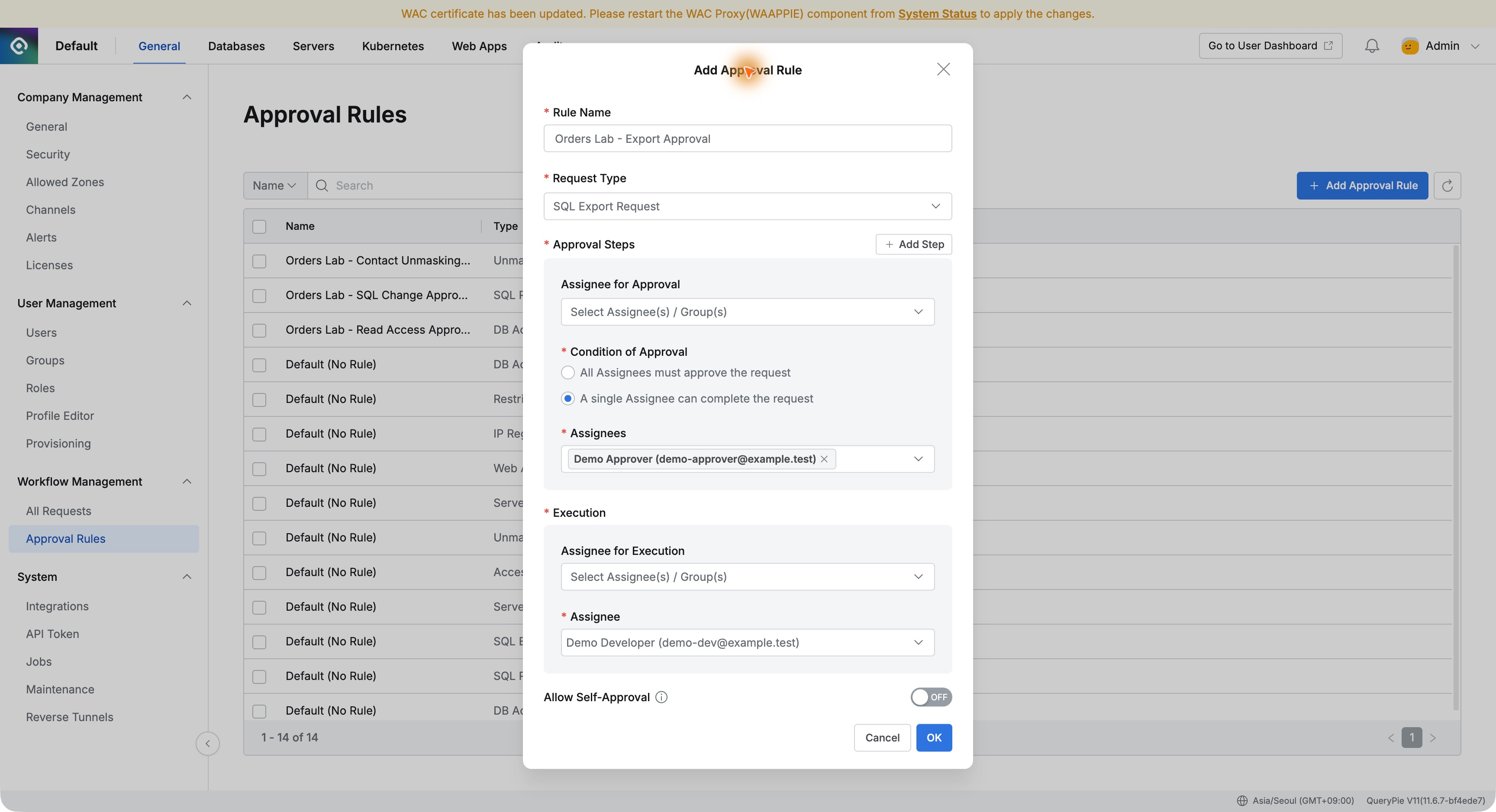
[Part 12] Exporting Database Data with Approval — QueryPie SQL Export in Practice
Query results sometimes need to become a report. A file makes shipping summaries and amount comparisons easier, but operators also want to know who downloaded what and why. I tried SQL Export Request for an order summary.
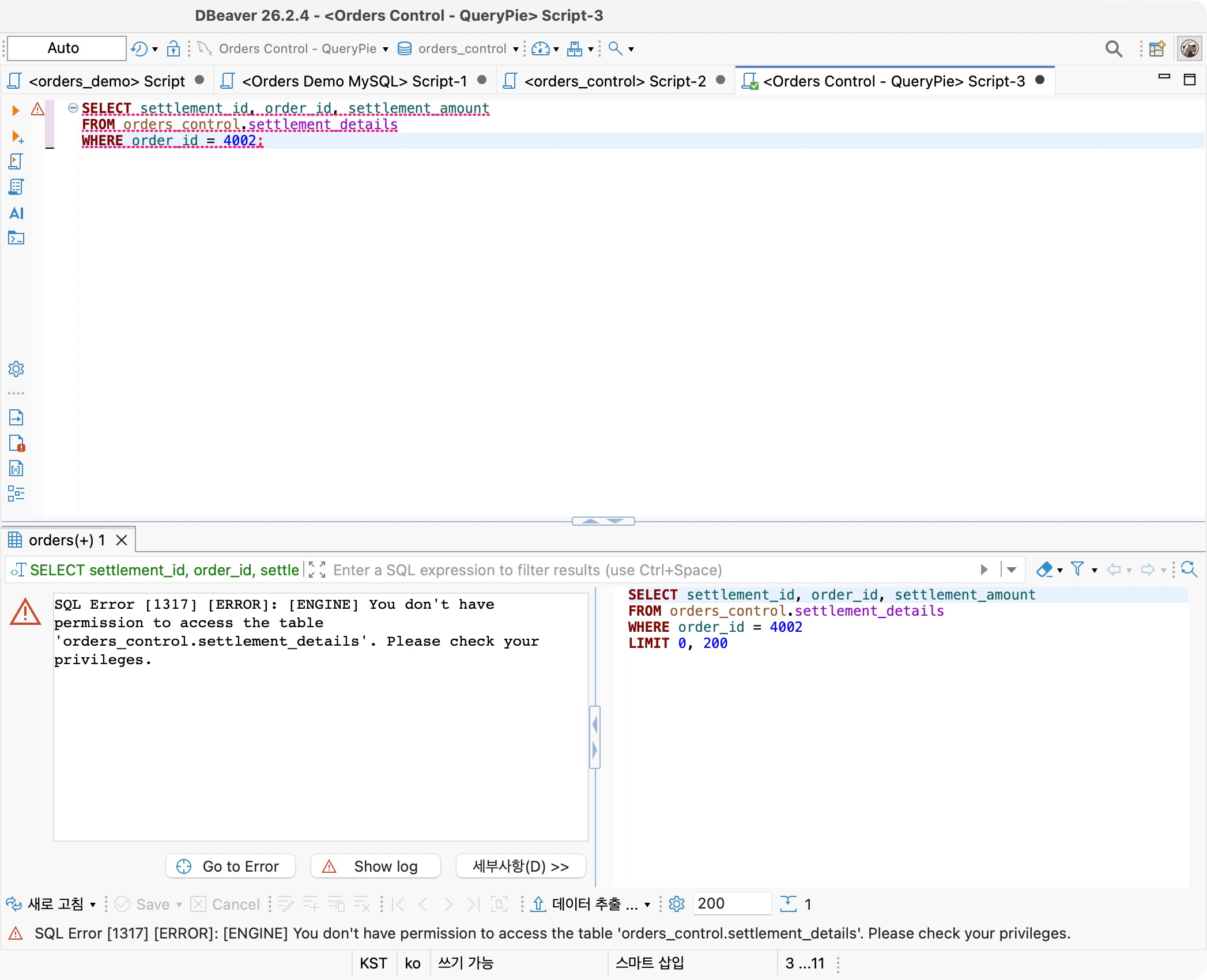
[Part 13] When Settlement Data Is Needed — Approving Restricted Data Access in QueryPie
Part 9 allowed order queries while restricting settlements. A developer normally checking status did not need settlement data. But reconciliation can require it. I tried Restricted Data Access Request to obtain approved, time-limited access without removing the policy.

[Part 14] Stopping a Running SQL Statement — QueryPie Query Monitoring
Even with access controls and approvals, operators sometimes need to inspect SQL already running. A slow-query report starts with identifying who ran what and where. I tried Running Queries to locate and stop a web-editor test query.
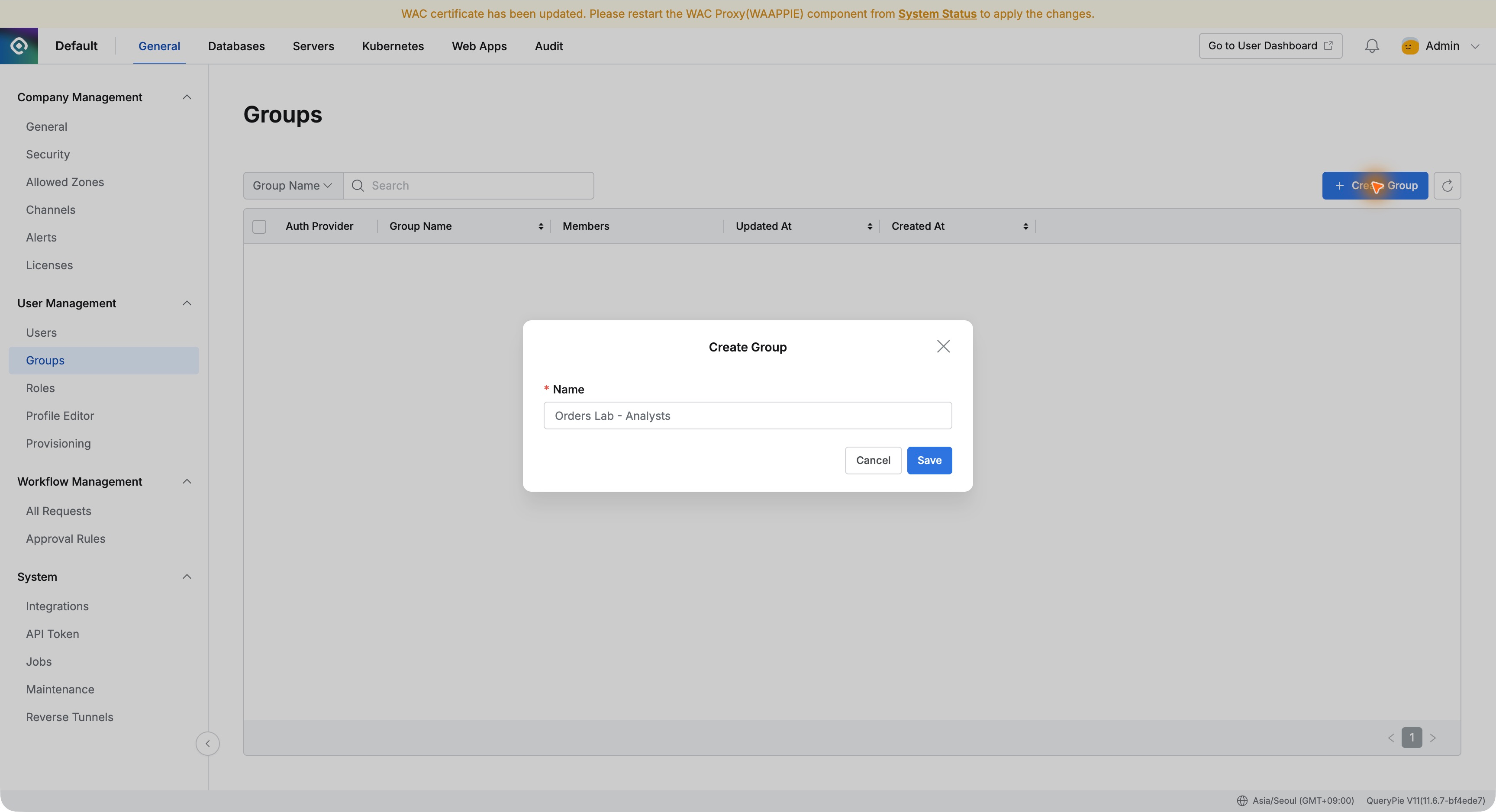
[Part 15] Join the Team, Receive Database Access — QueryPie Group Management
Granting one user access was enough at first, but individually checking privileges becomes tedious as a team grows. I created an order-analysis group, granted read-only access to the group, and added a new analyst without assigning individual database privileges.
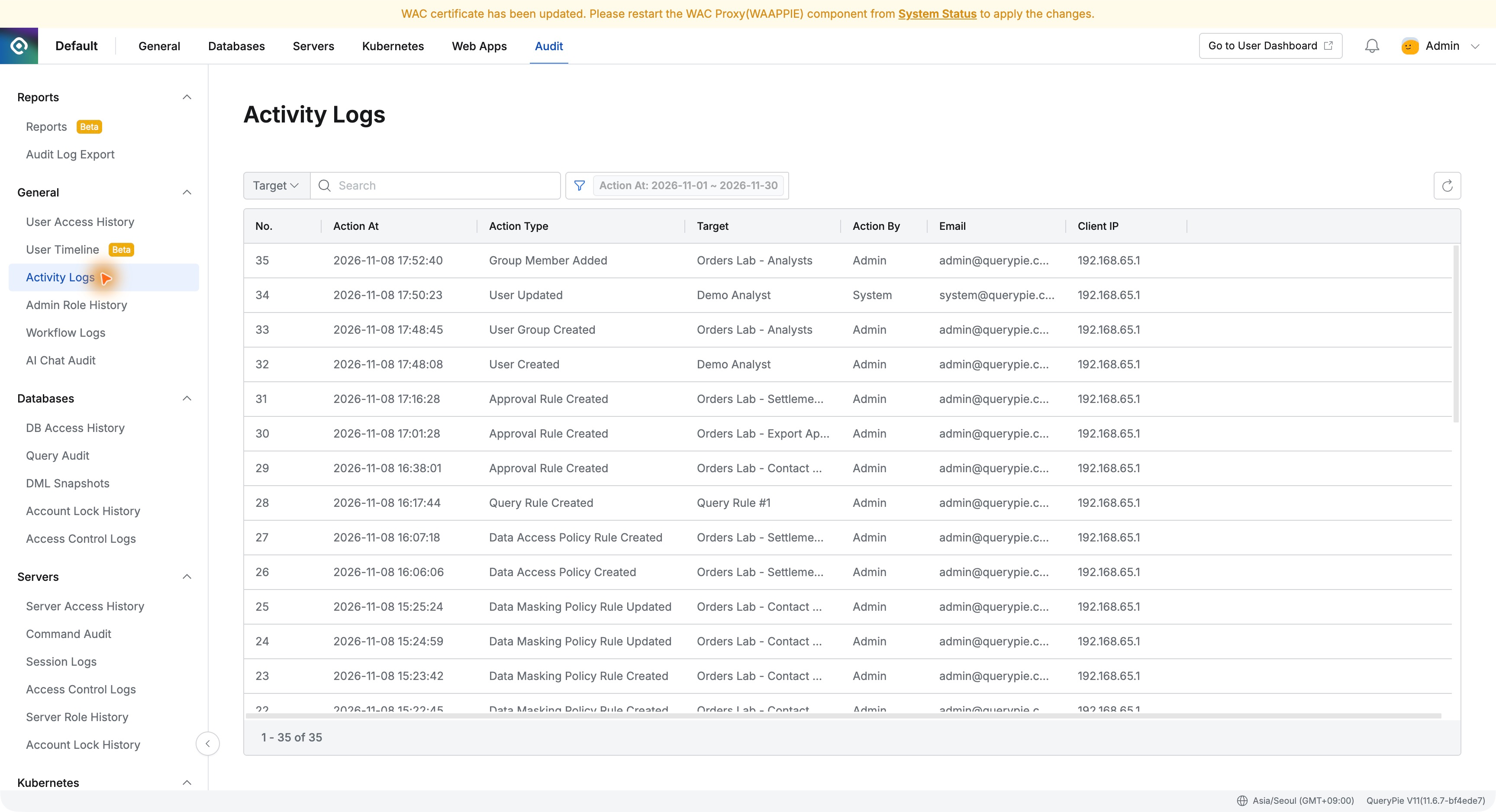
[Part 16] Who Granted This Database Access? — QueryPie Administrator Change History
After creating an analysts group and adding a user, I wondered whether a future operator could explain how the current privileges came about. I searched QueryPie audits for the group creation, access grant, and membership change.
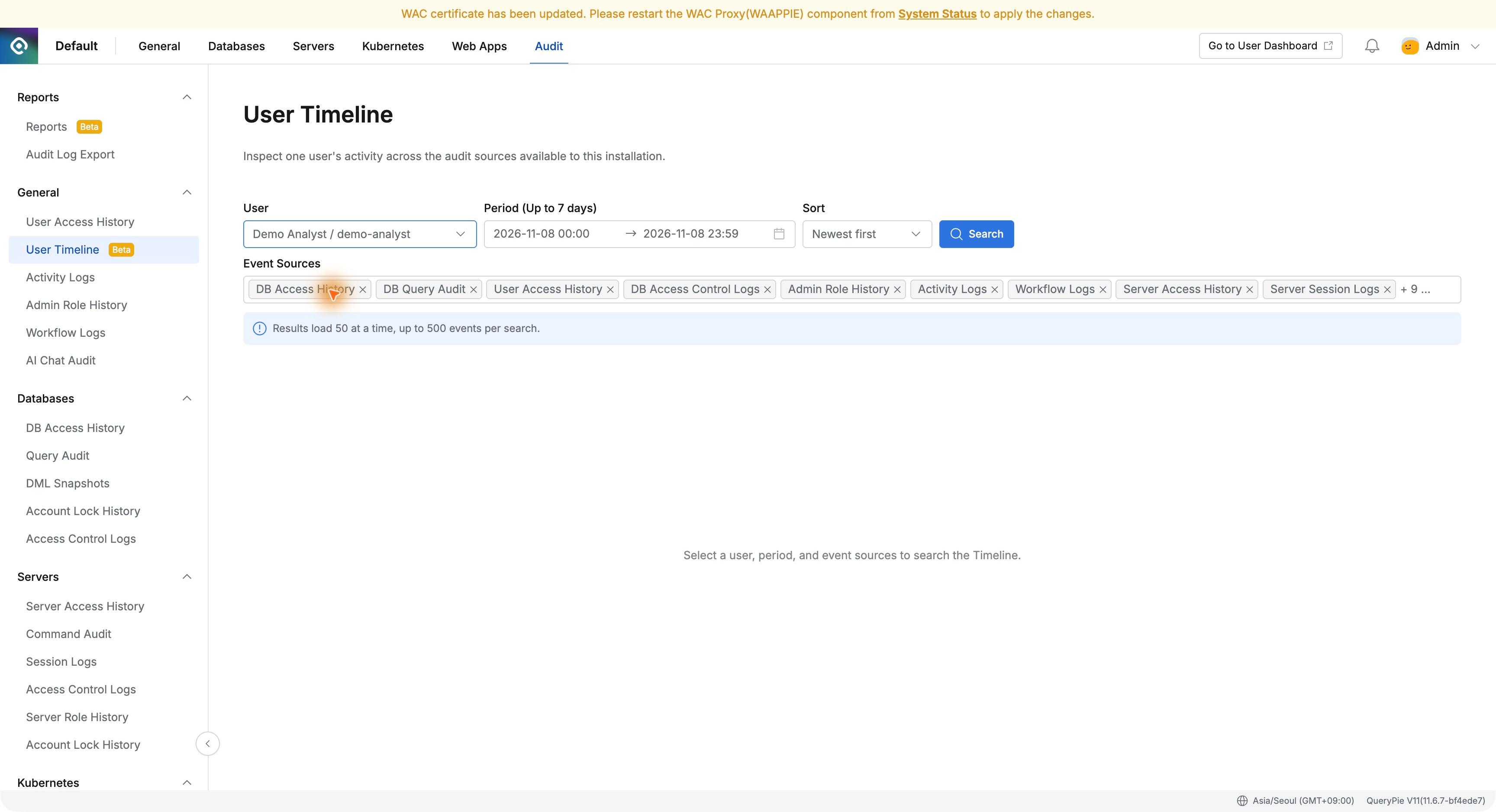
[Part 17] What Did This User Do? — QueryPie User Timeline
‘I can connect to the database, but one operation fails.’ Operators must distinguish login problems, connection issues, and blocked SQL. I used User Timeline to follow Demo Analyst’s successful read and blocked UPDATE in one sequence.
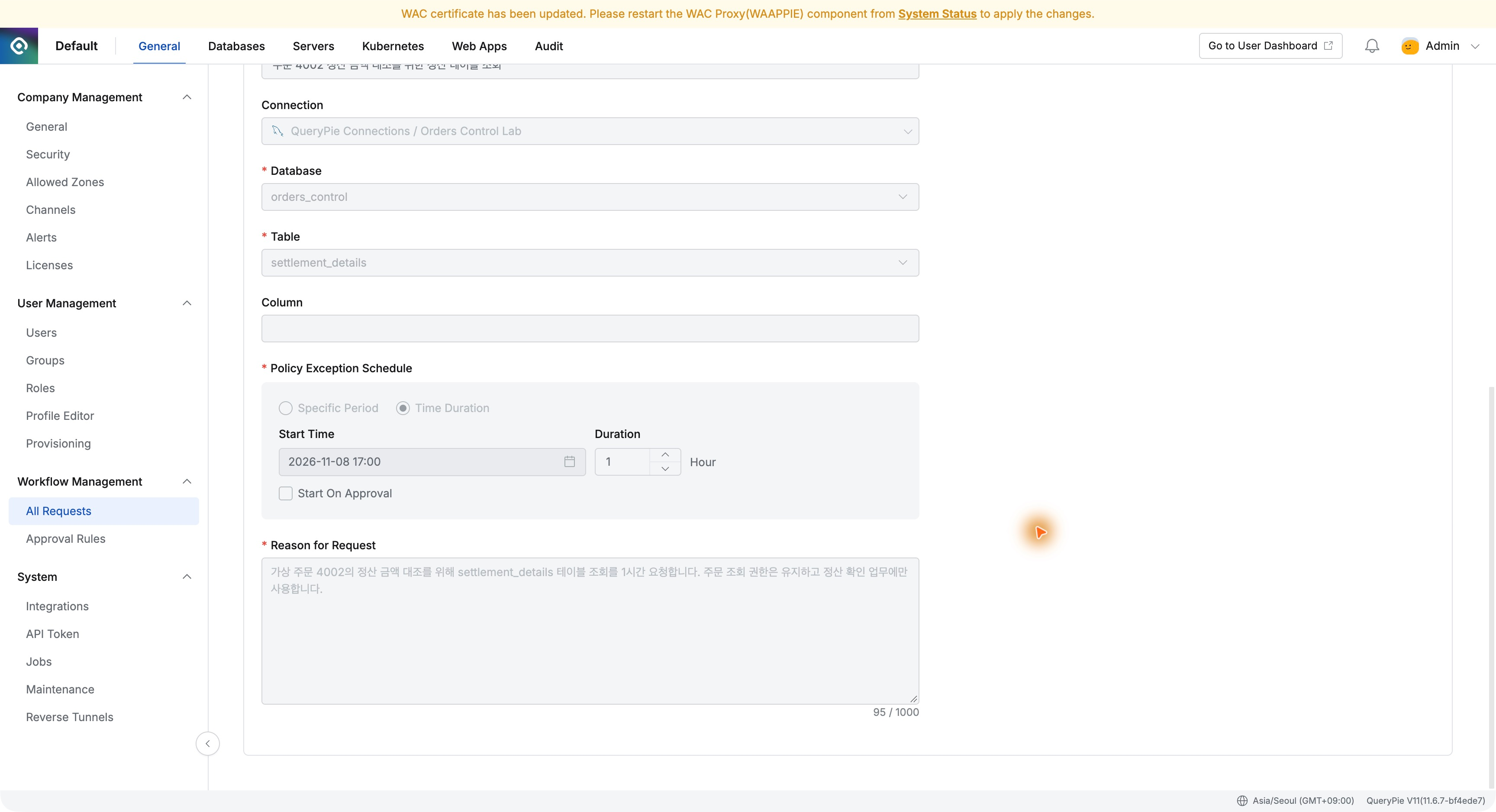
[Part 18] Temporary Access Needs an End Time Too — QueryPie Policy Exceptions
‘I just need a quick look at settlement amounts.’ Once access is granted, its end time needs managing too, so exceptions do not remain after work ends.
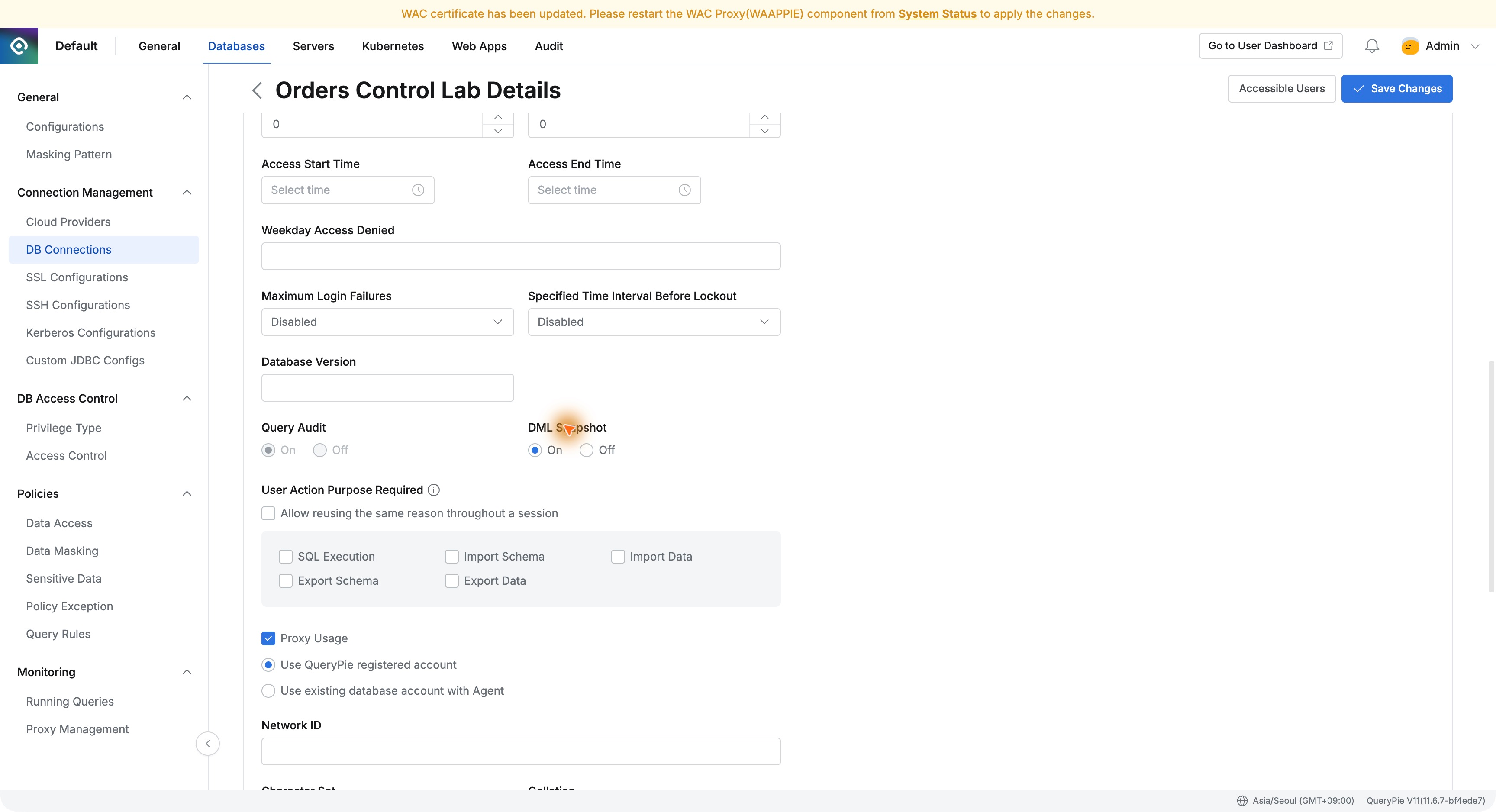
[Part 19] Finding the Previous Value After an Order Update — QueryPie DML Snapshot
Part 6 executed approved SQL without granting ongoing write access. Now I wanted to see not only who ran SQL, but how the data actually changed. I changed a fictional order from PENDING to DELIVERED and inspected DML Snapshot.
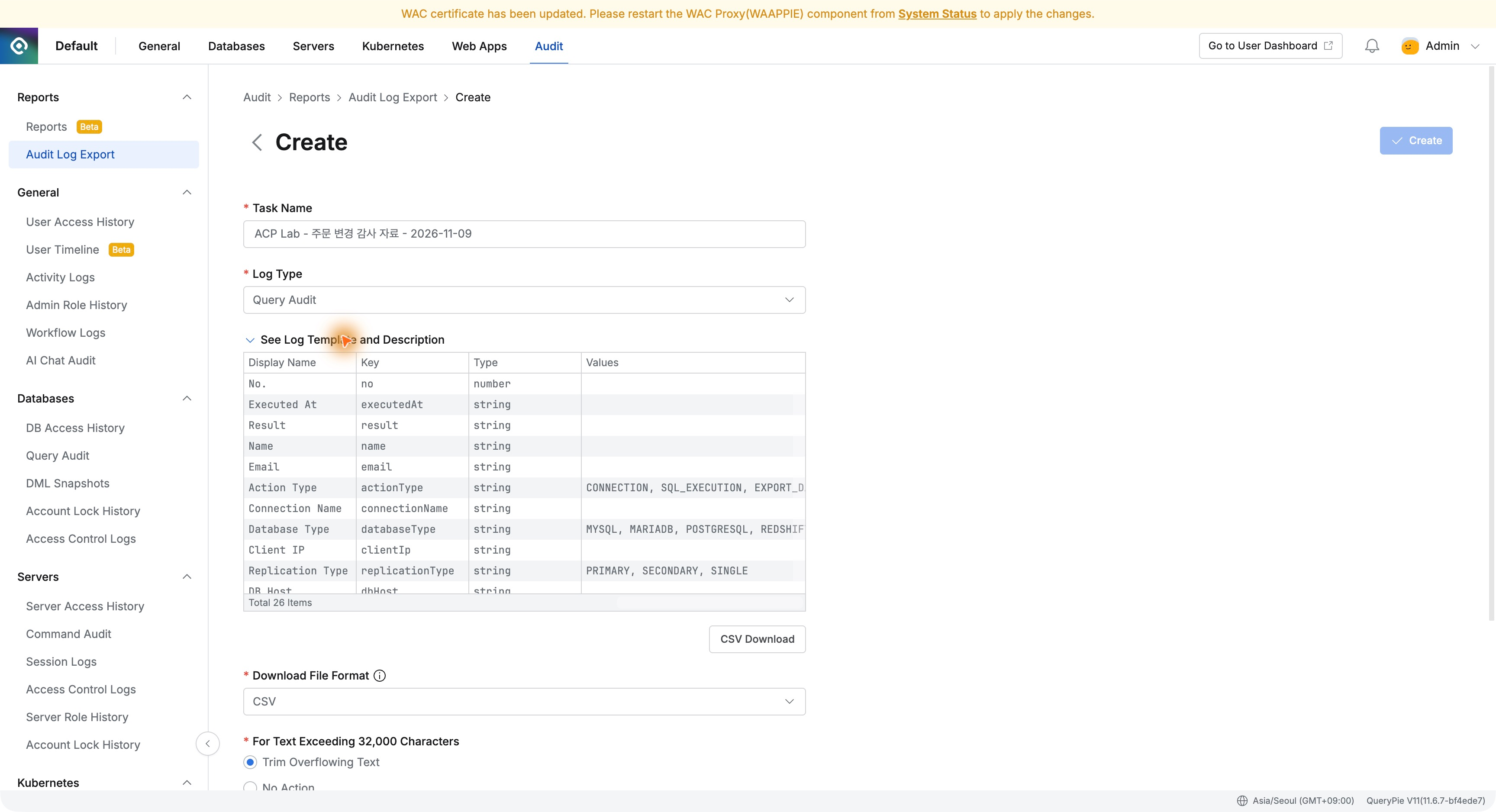
[Part 20] Selecting the Records an Audit Needs — QueryPie Audit Log Export
Part 19 inspected order values before and after a change. Here, I exported the activity records to support an audit or internal review of a particular user’s database work. Filtering by period and user gathered both the read and approved update, with SQL, outcomes, and workflow UUID.
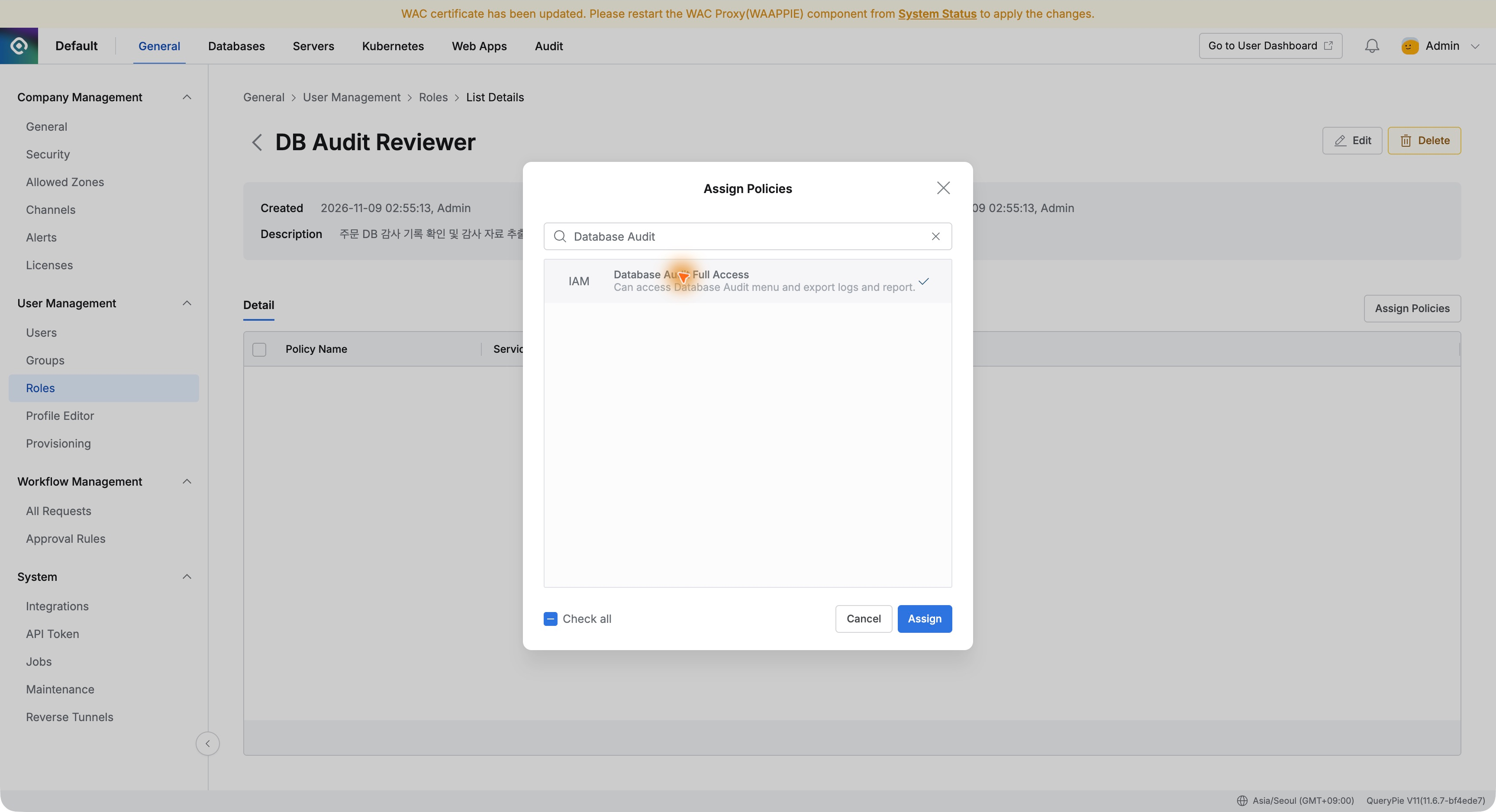
[Part 21] Giving Auditors Only the Access They Need — Separating QueryPie Administrator Roles
Previously, an administrator reviewed and exported database audits. In production, configuration and audit review may belong to different people. I created an auditor role that could inspect changes, DML snapshots, and downloads, while database configuration remained inaccessible.
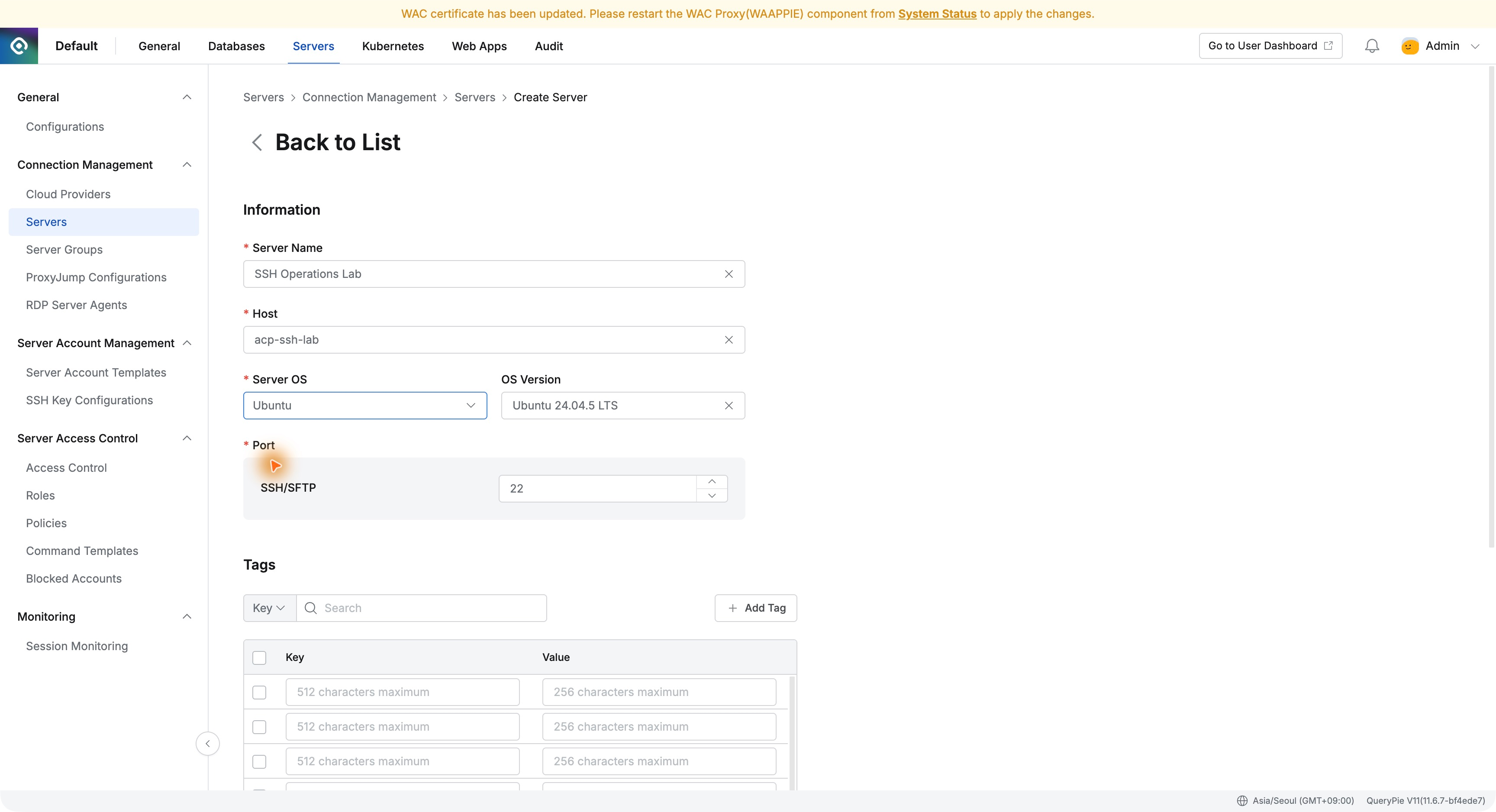
[Part 22] Connecting to SSH Without Entering the Server Password — QueryPie Web Terminal
After exploring database work, I moved to servers. Instead of distributing passwords to each new operator, I registered a test Ubuntu server and assigned an SSH role in QueryPie. The developer signed in, chose server and account, and opened a browser terminal without entering its password.
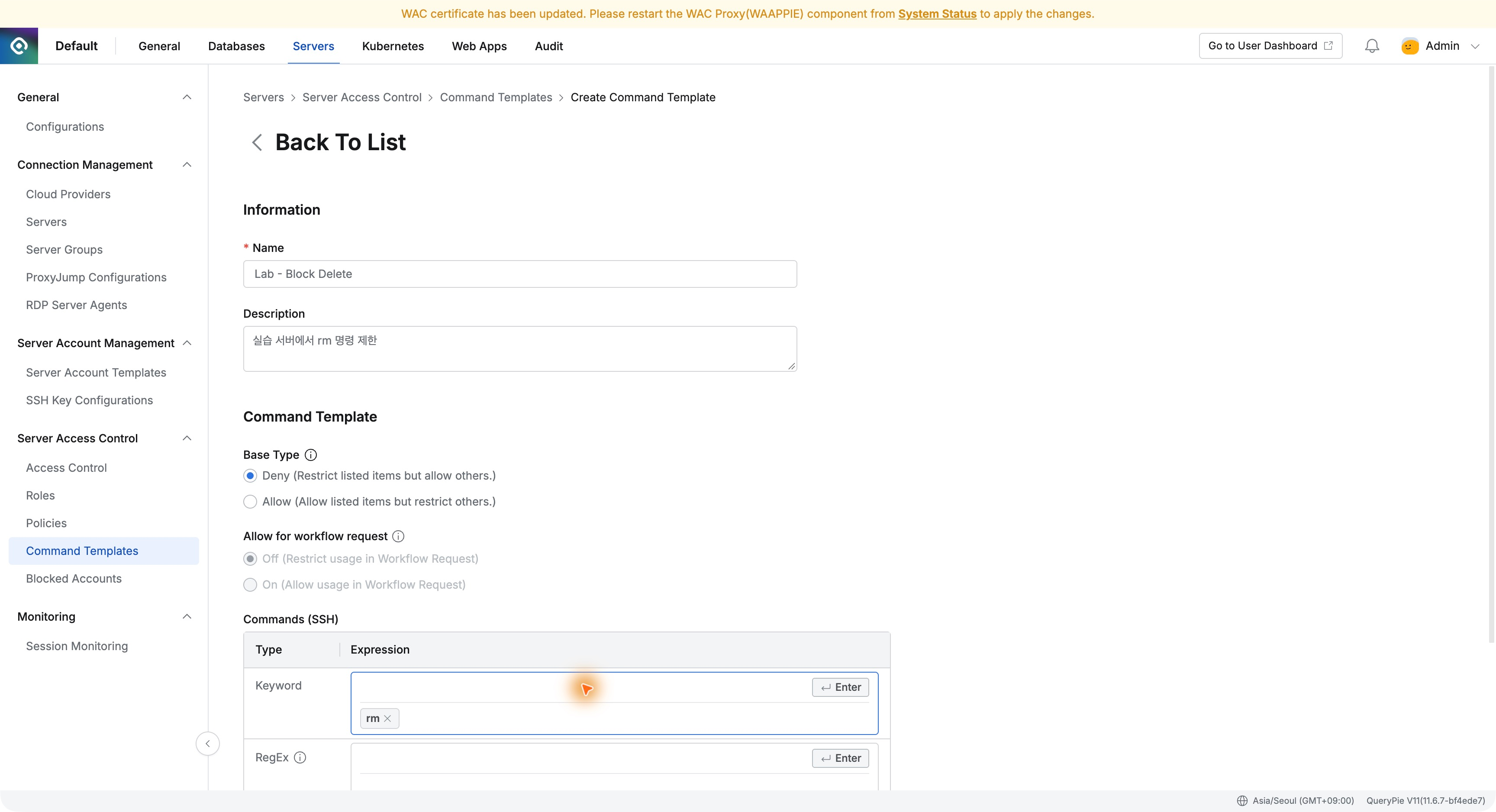
[Part 23] Allowing Server Access but Blocking Deletion — QueryPie Command Control
After password-free web-terminal access, I restricted commands after login. The operator should inspect account and file contents but not delete files with rm. I prepared a test file and applied Command Templates.
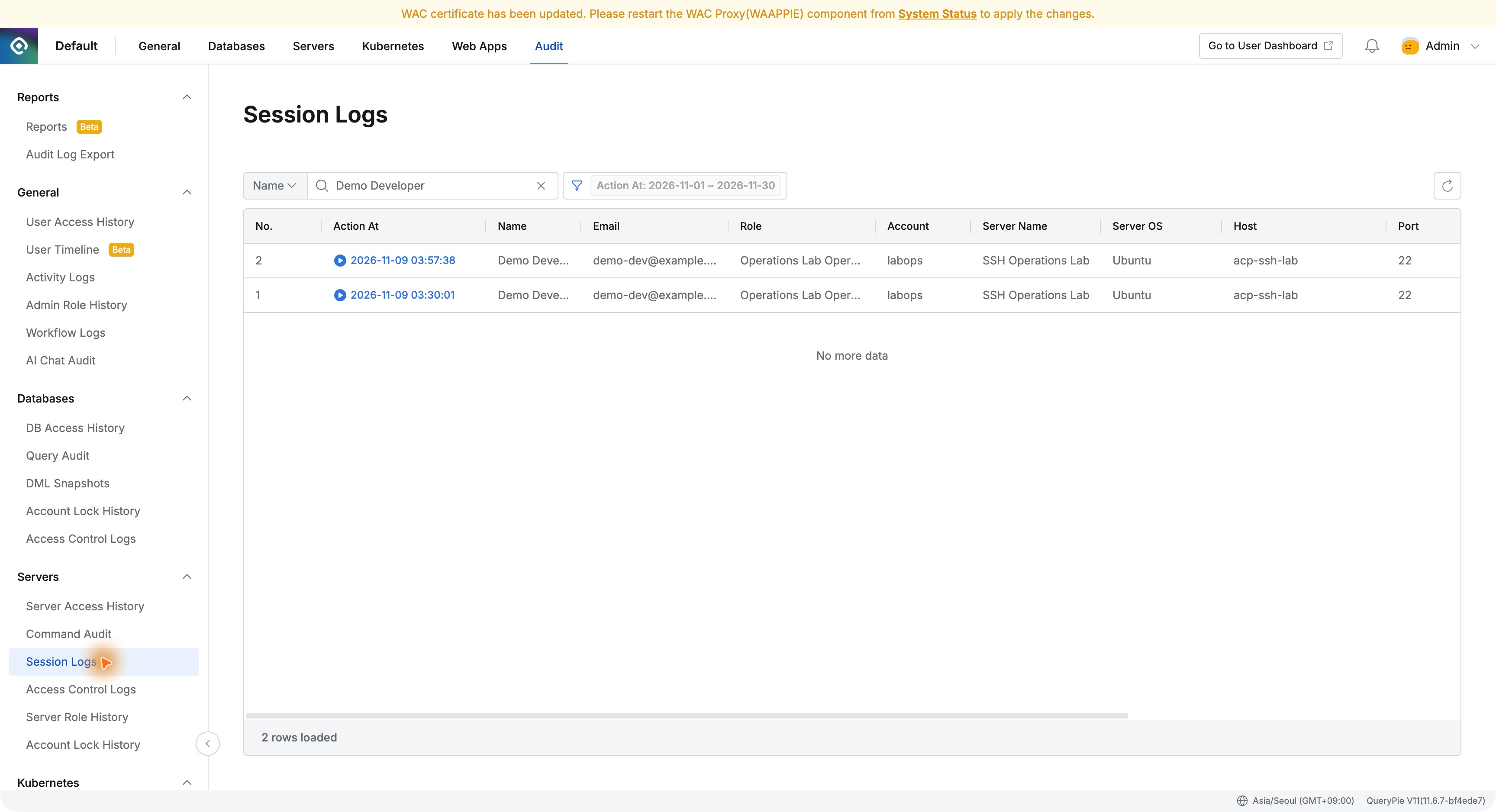
[Part 24] Replaying Work Done on a Server — QueryPie Session Recording
Previously, command audits showed who attempted rm and that it was blocked. Now I replayed the terminal session from Session Logs, jumping to the restriction and the subsequent file checks. Direct replay from Command Audit was especially convenient.
[Part 25] Database Queries Through MCP Keep Existing Permissions — QueryPie Community MCP
When connecting AI tools to a database, I first wanted to know who could see what. Orders should be accessible for work while settlements retain their restrictions. I connected MCP Inspector to QueryPie Community and tested both.
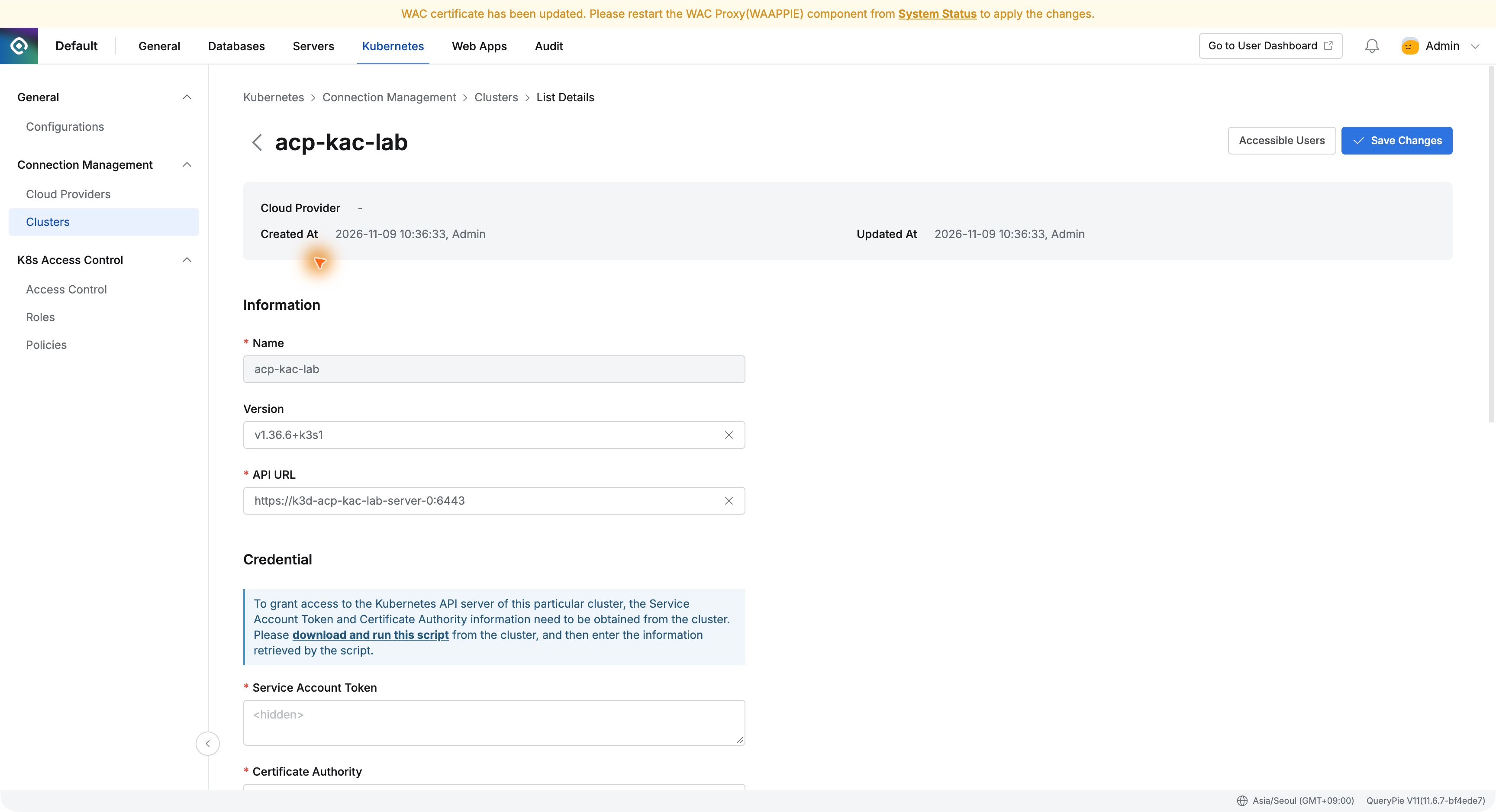
[Part 26] Reading Kubernetes Configuration While Blocking Changes — QueryPie Roles and Policies
Checking production Kubernetes settings does not always require permission to change them. I granted ConfigMap reads in QueryPie Community and denied changes, then reviewed both operations in the same audit screen.
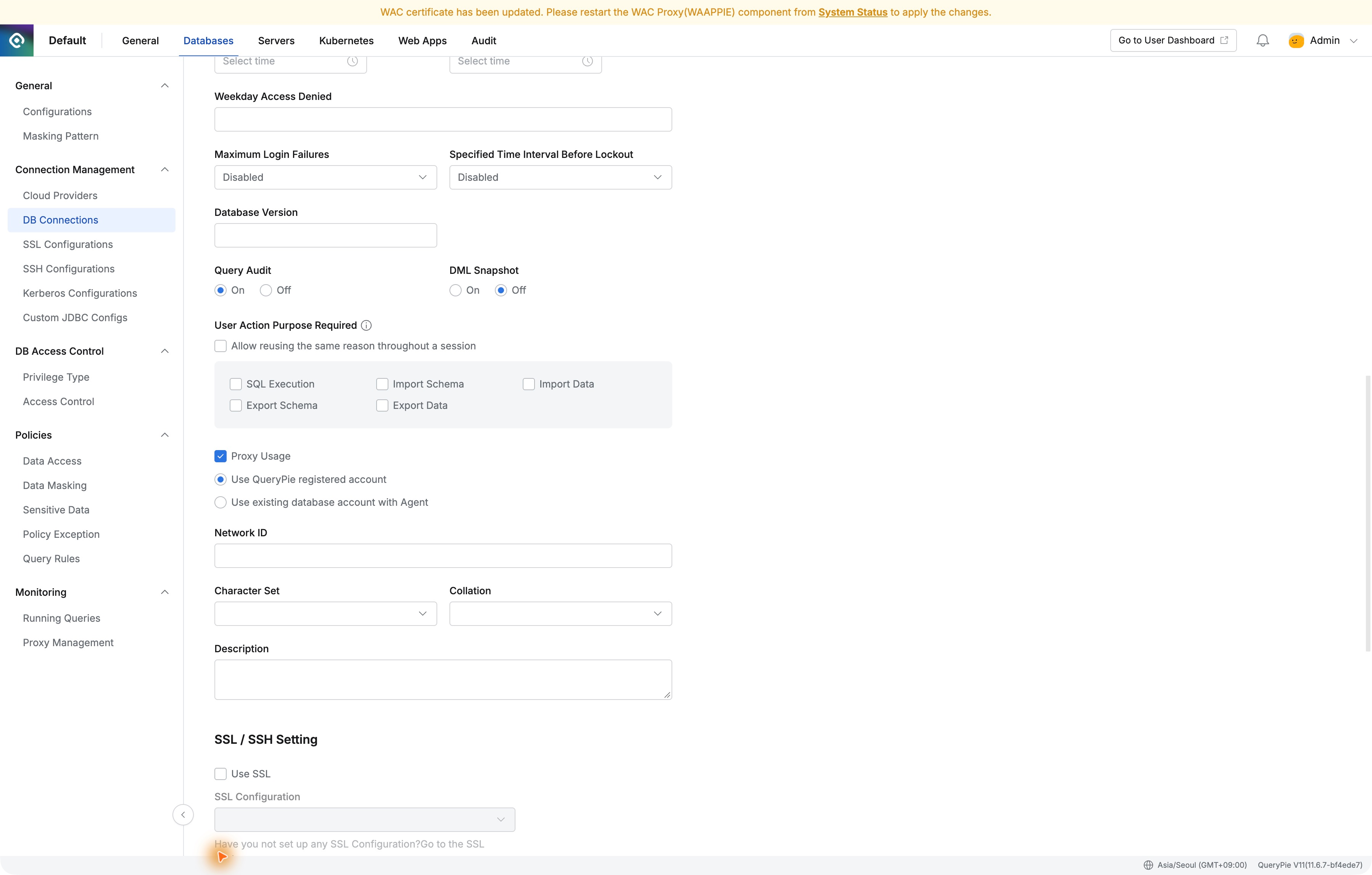
[Part 27] Keeping DBeaver, Closing Direct Database Access — Organizing QueryPie Connection Paths
QueryPie manages permissions and records, but an old direct database route needs separate attention. I compared direct and proxy queries in DBeaver, closed the direct port, and verified a new QueryPie connection still worked and produced audits.
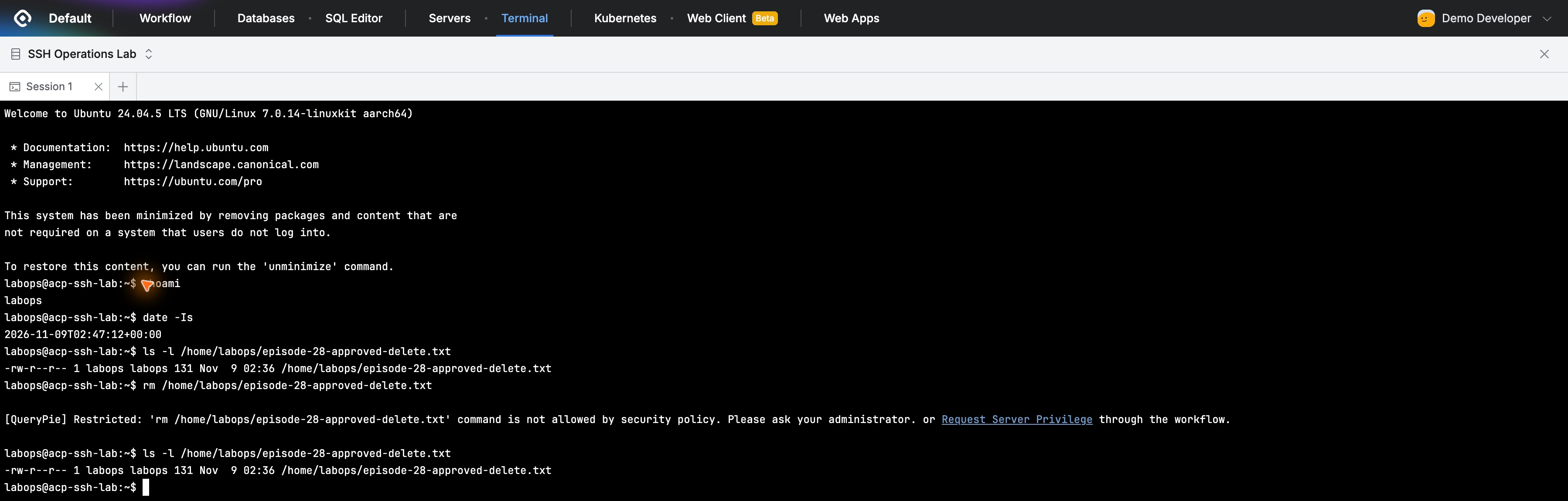
[Part 28] When a Blocked Delete Command Is Needed — Using It Only During an Approved Window
Part 23 blocked deletion despite allowing server login. Operations sometimes require restricted commands, such as cleaning old files. I requested five minutes of rm through Server Privilege Request, keeping the normal restriction intact.
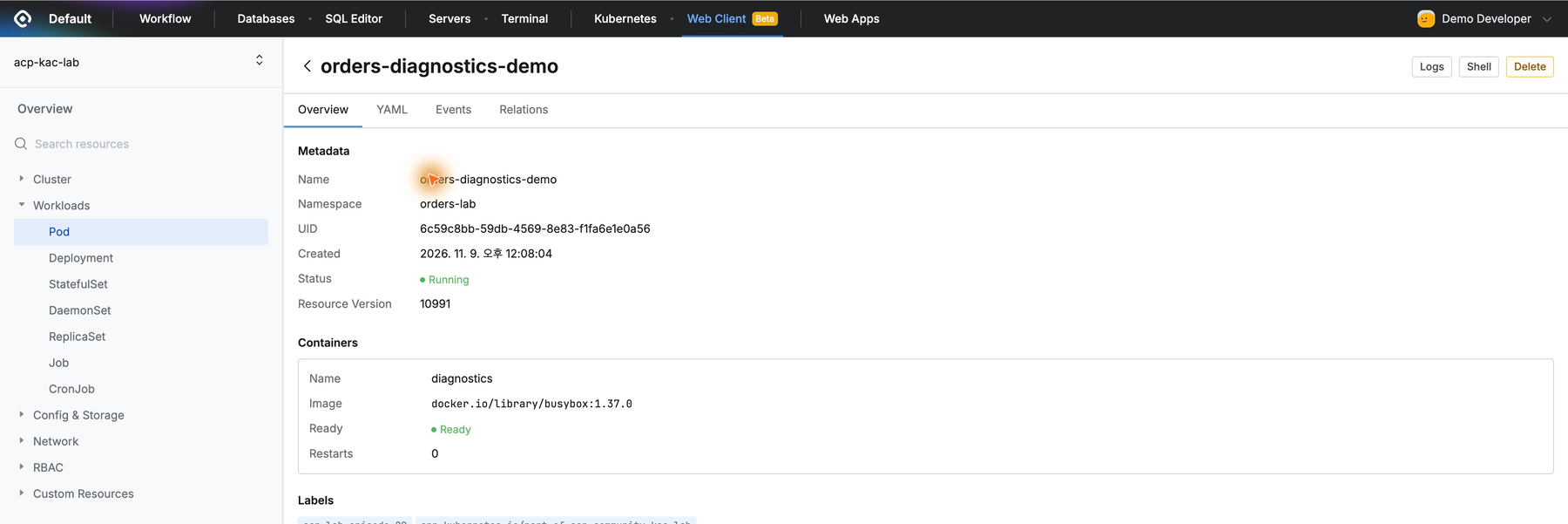
[Part 29] Reading Logs While Restricting Container Shell Access
Troubleshooting starts with logs, but not every log reader needs to execute commands in a container. Following Part 26’s read/change distinction, I separated log access from shell access on the same Pod in QueryPie.
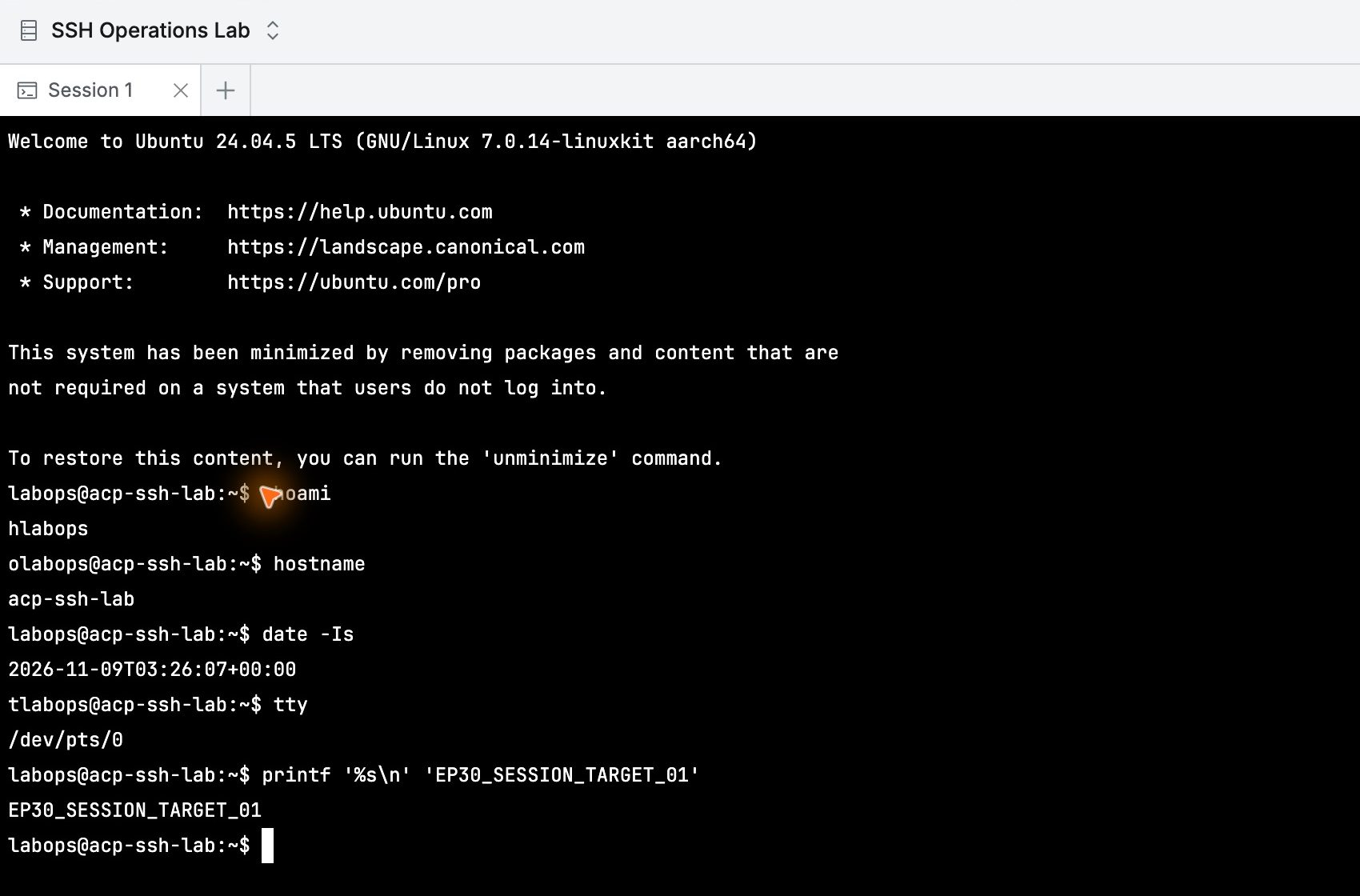
[Part 30] Finding and Terminating an Active Server Session
Access management continues after login: operators need to see who is connected and end a specific session when necessary. Part 24 replayed completed work; this time I found and terminated an active SSH session, then checked reconnection with the same role.
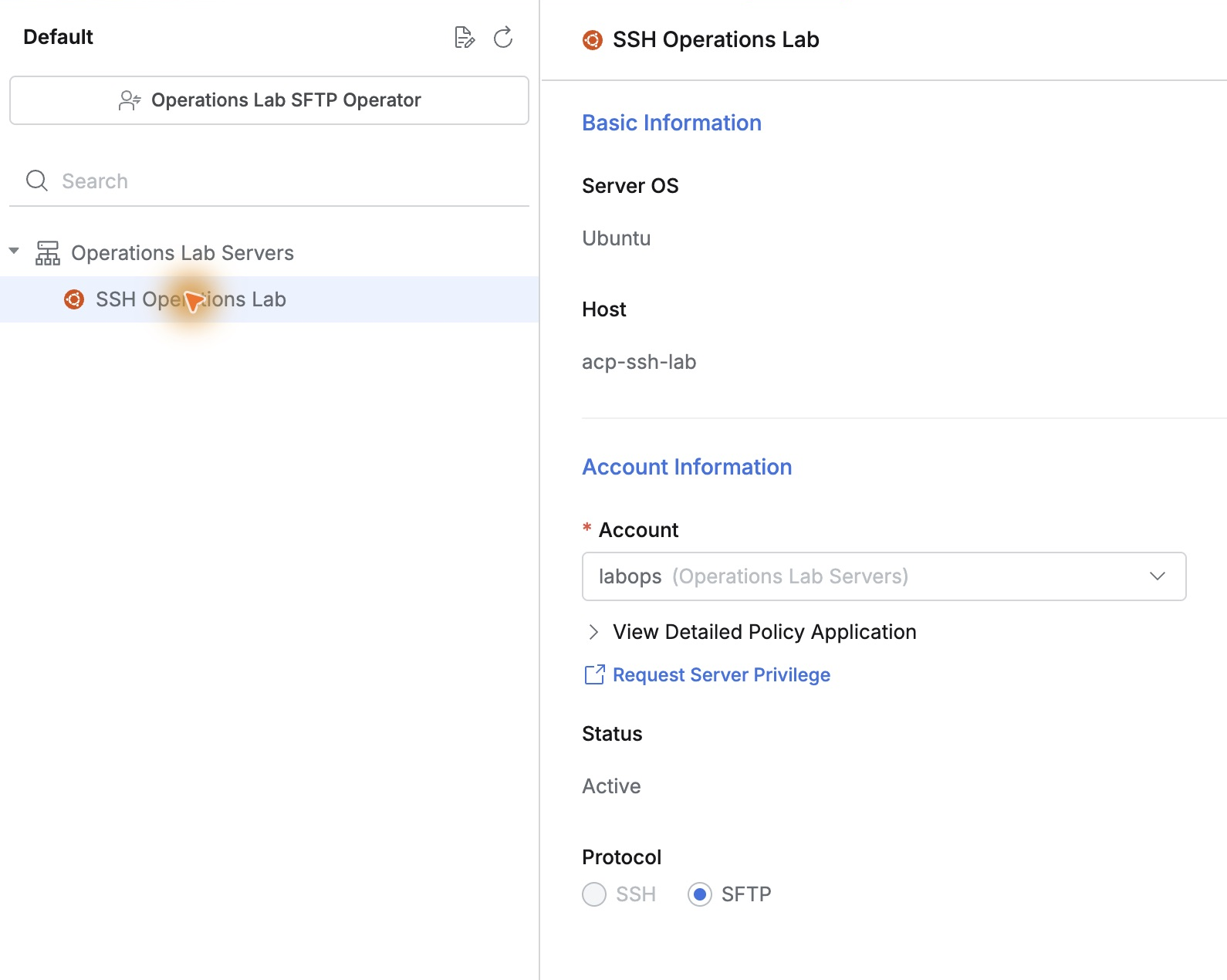
[Part 31] Downloading Server Files While Blocking Uploads
Inspecting production status files need not include upload rights. I used QueryPie web SFTP to transfer files with one user/account, then restricted only uploads and checked that downloads remained available.
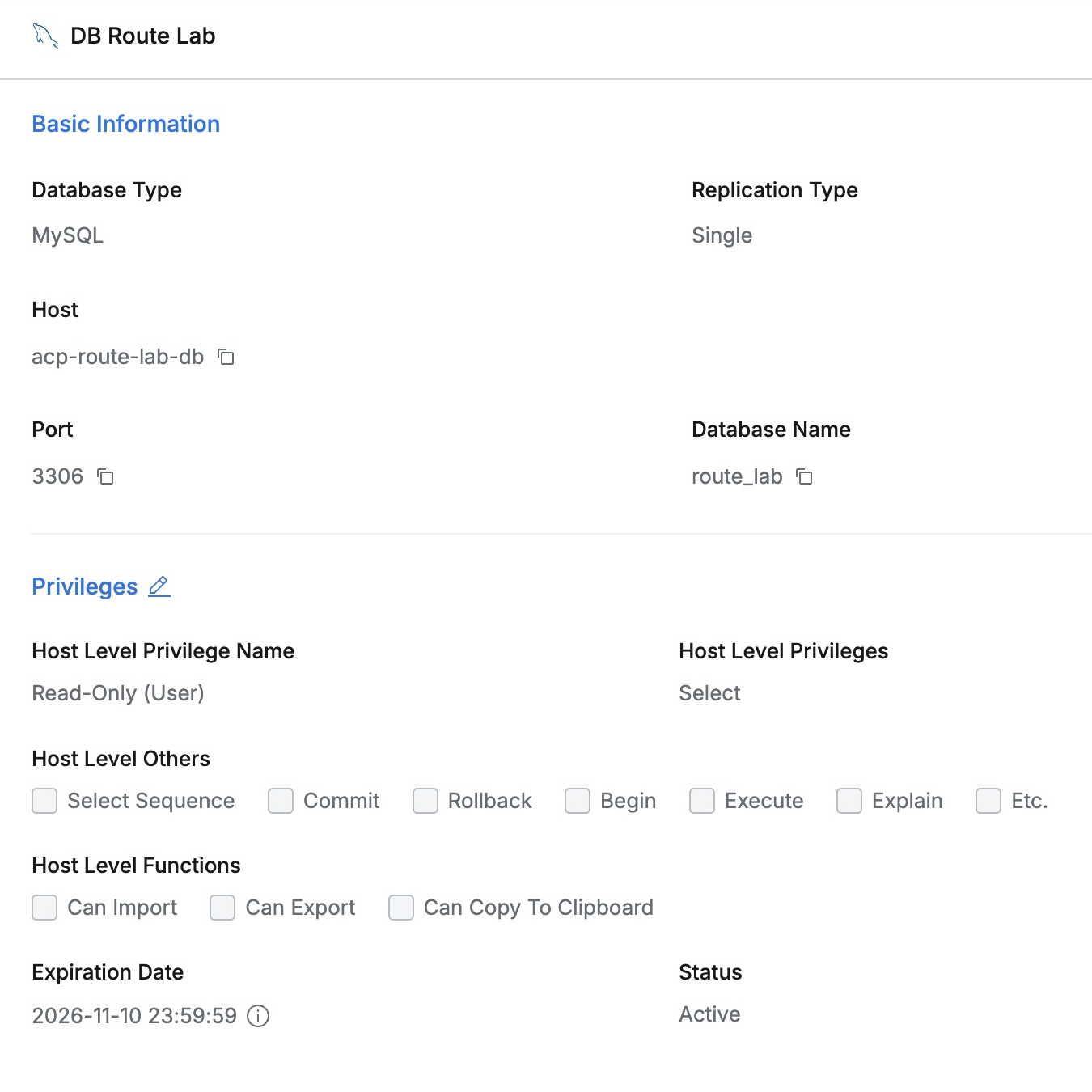
[Part 32] Recording the Reason Alongside the SQL
SQL audits show who queried what, but not whether a lookup answered a shipping inquiry or reconciled processing. I required execution reasons in QueryPie and queried two orders for different purposes, then checked their audit records.
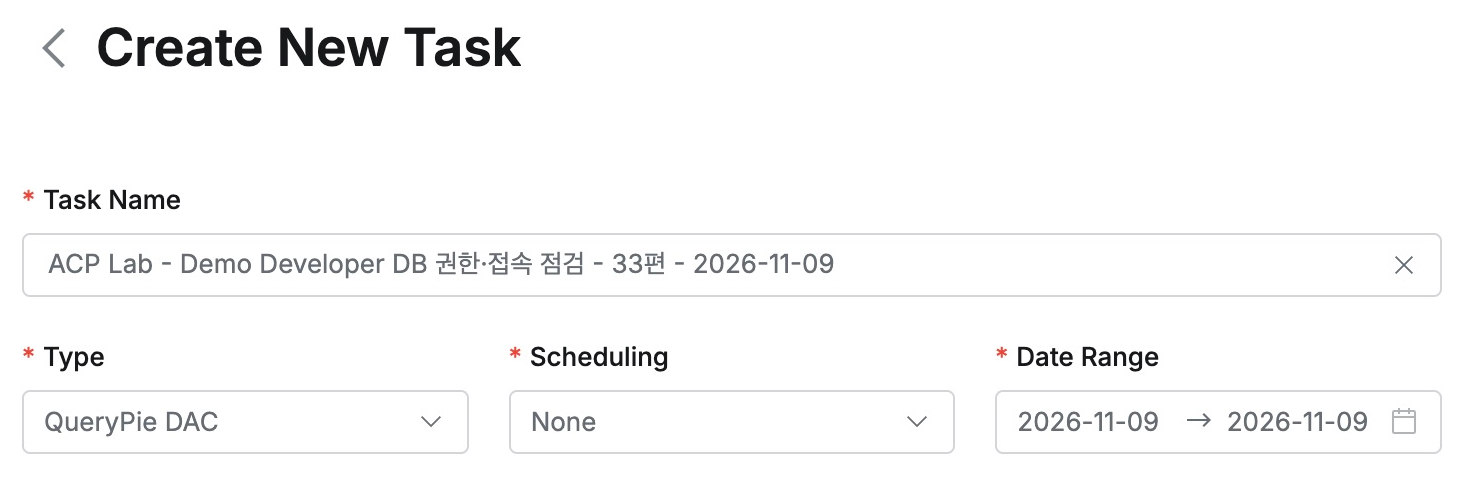
[Part 33] Combining Database Privileges and Access History in a Report
Access reviews ask what privileges a person holds now and which databases they used recently. I combined both in QueryPie Reports for Demo Developer, then inspected the downloaded summary and detailed files.

[Part 34] Separating Database Access by Task on the Same Server
Multiple business databases may share a server, but order staff do not need all settlement data. After table-level restrictions, I tested logical-database permissions: allow the orders database on one MySQL server while excluding finance.
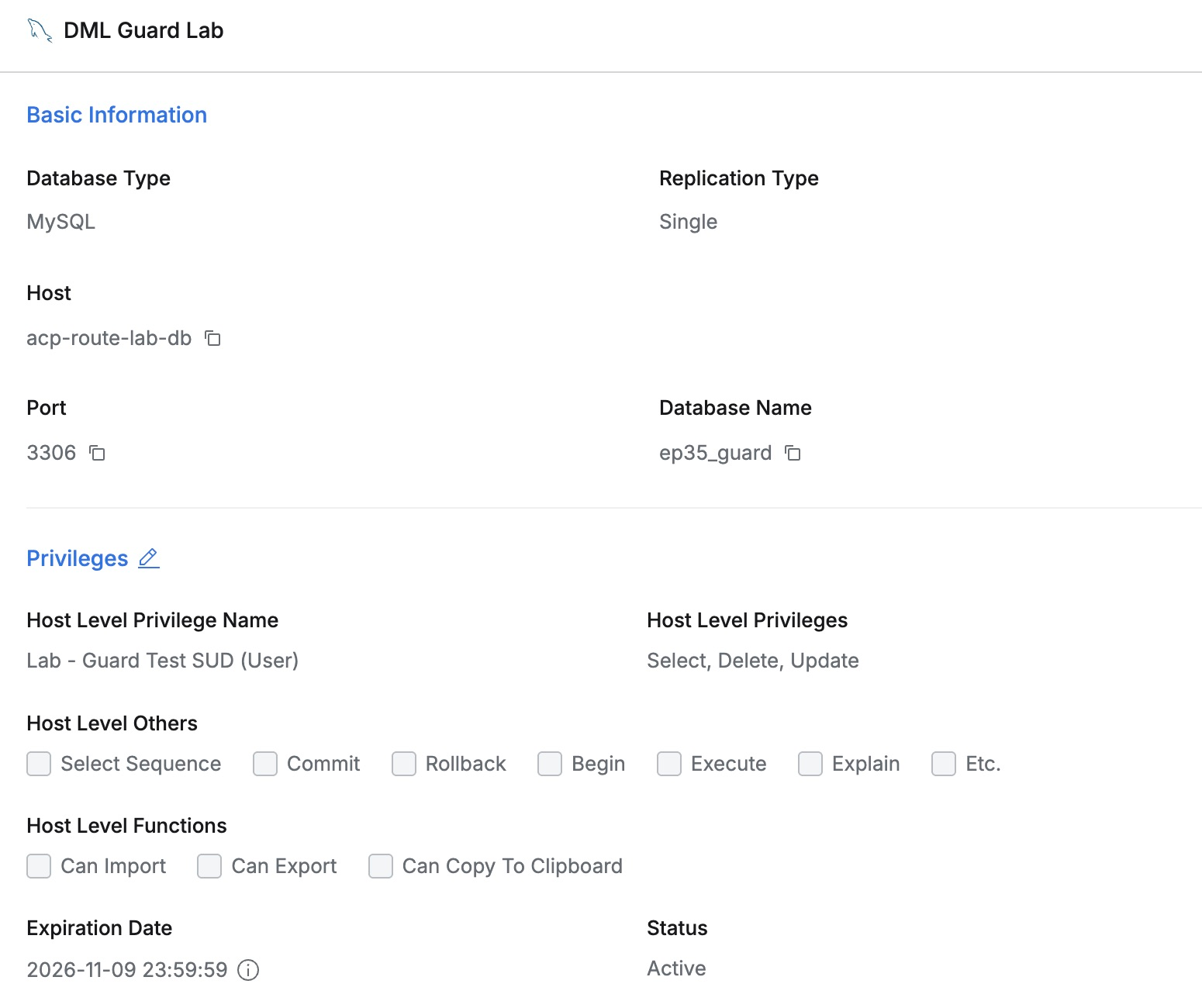
[Part 35] Blocking UPDATE and DELETE Without WHERE
Forgetting WHERE while changing one order can affect every row; DELETE may remove the whole table’s data. I enabled QueryPie’s safeguard and compared scoped SQL with missing-WHERE SQL using an account allowed to update and delete.
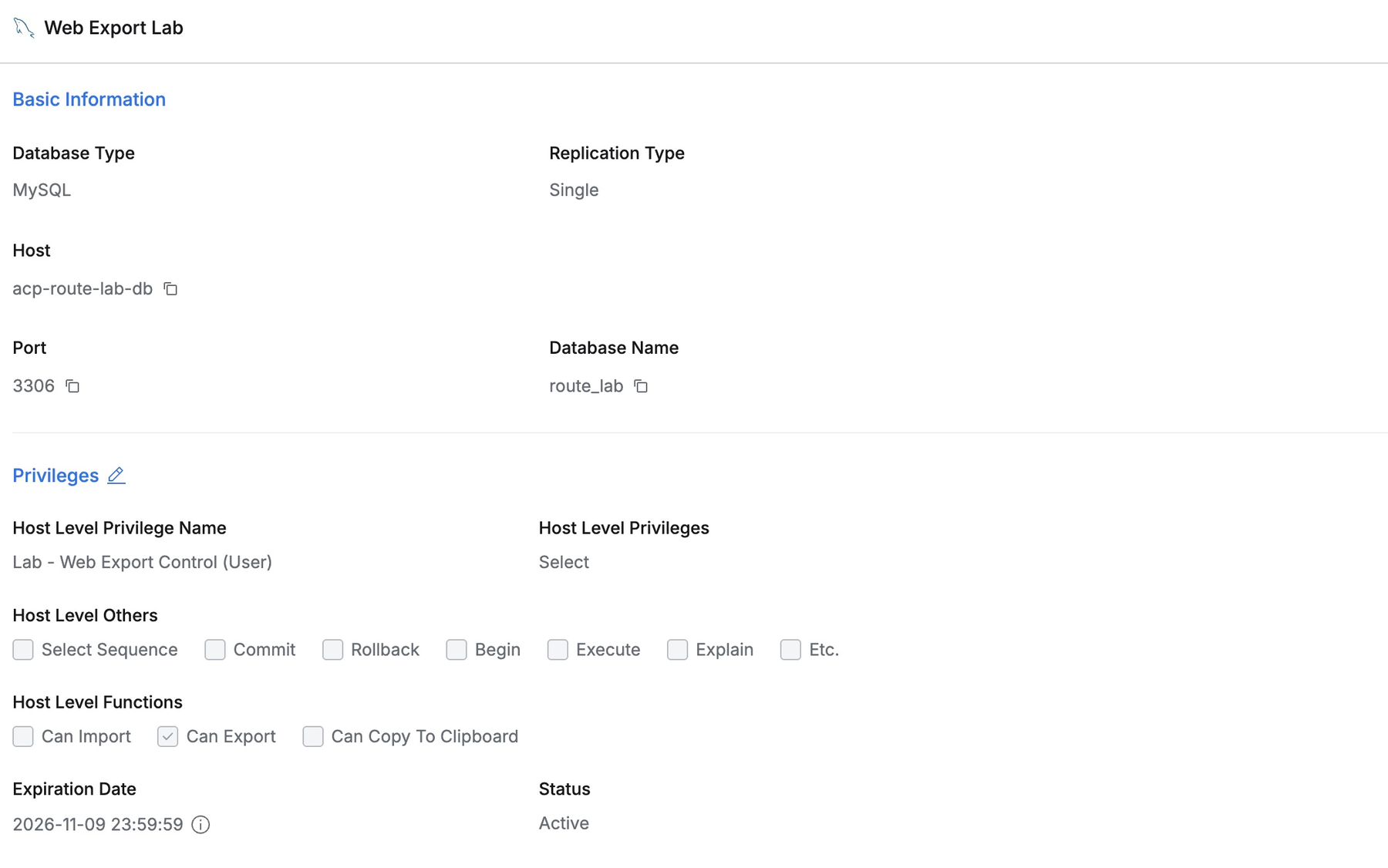
[Part 36] Allowing Reads and Managing File Export Separately
Sometimes viewing orders on screen is enough for shipping checks. I separated read and export privileges in the web SQL editor: first download three orders to CSV, then disable only Can Export and compare the UI.

[Part 37] Reviewing the Execution Plan Before Approving SQL
SQL approval reviews the statement and reason. An execution plan adds table/index context. I attached a plan to SQL Request and checked that the approver could inspect the same evidence inside the request.
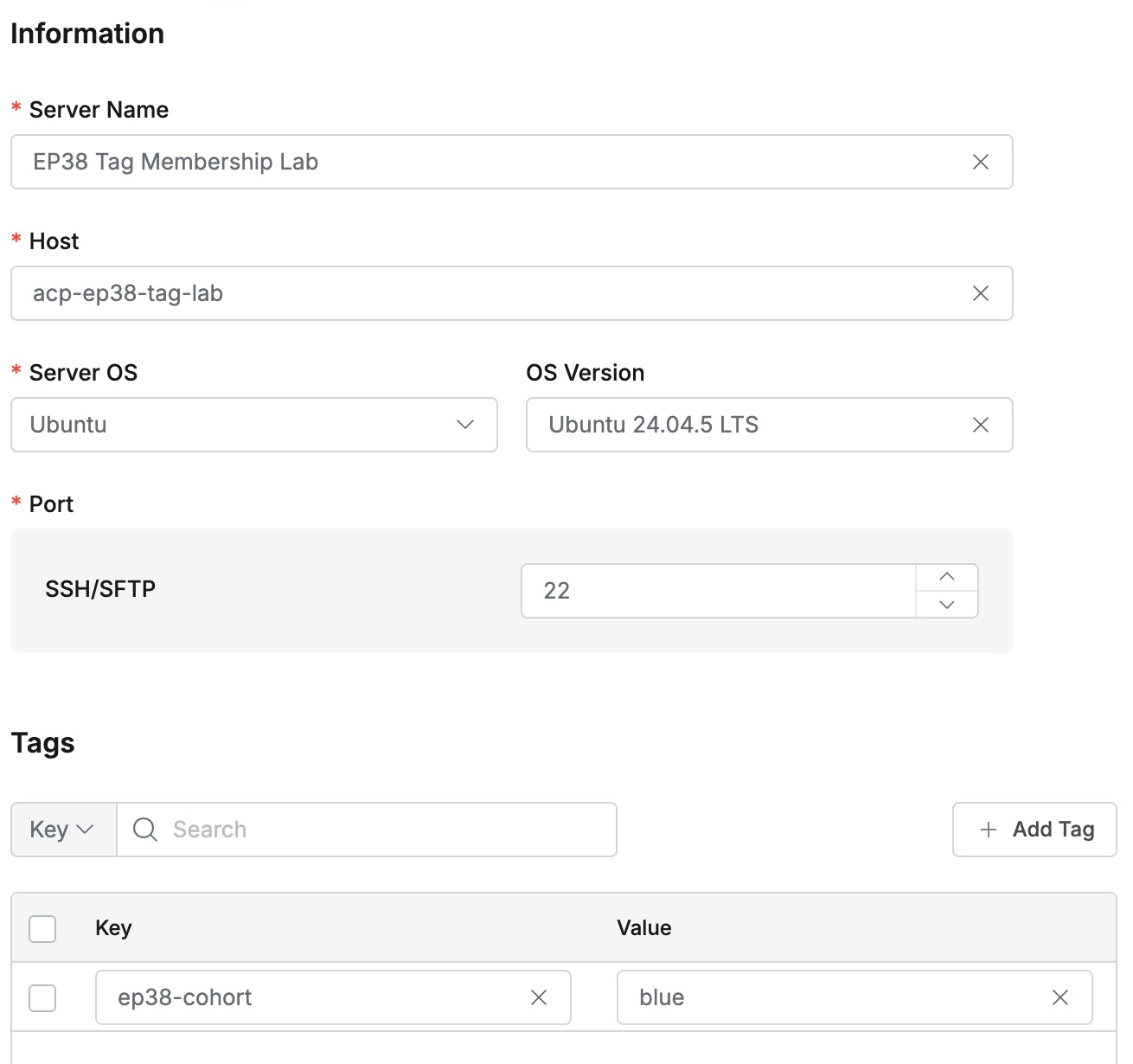
[Part 38] Changing a Server Tag Also Changes Group Membership
After registration and access grants, I explored grouping servers. QueryPie Server Groups can use tag conditions. I put the same server into a tag-based group and a manual group, then changed its tag to compare membership.
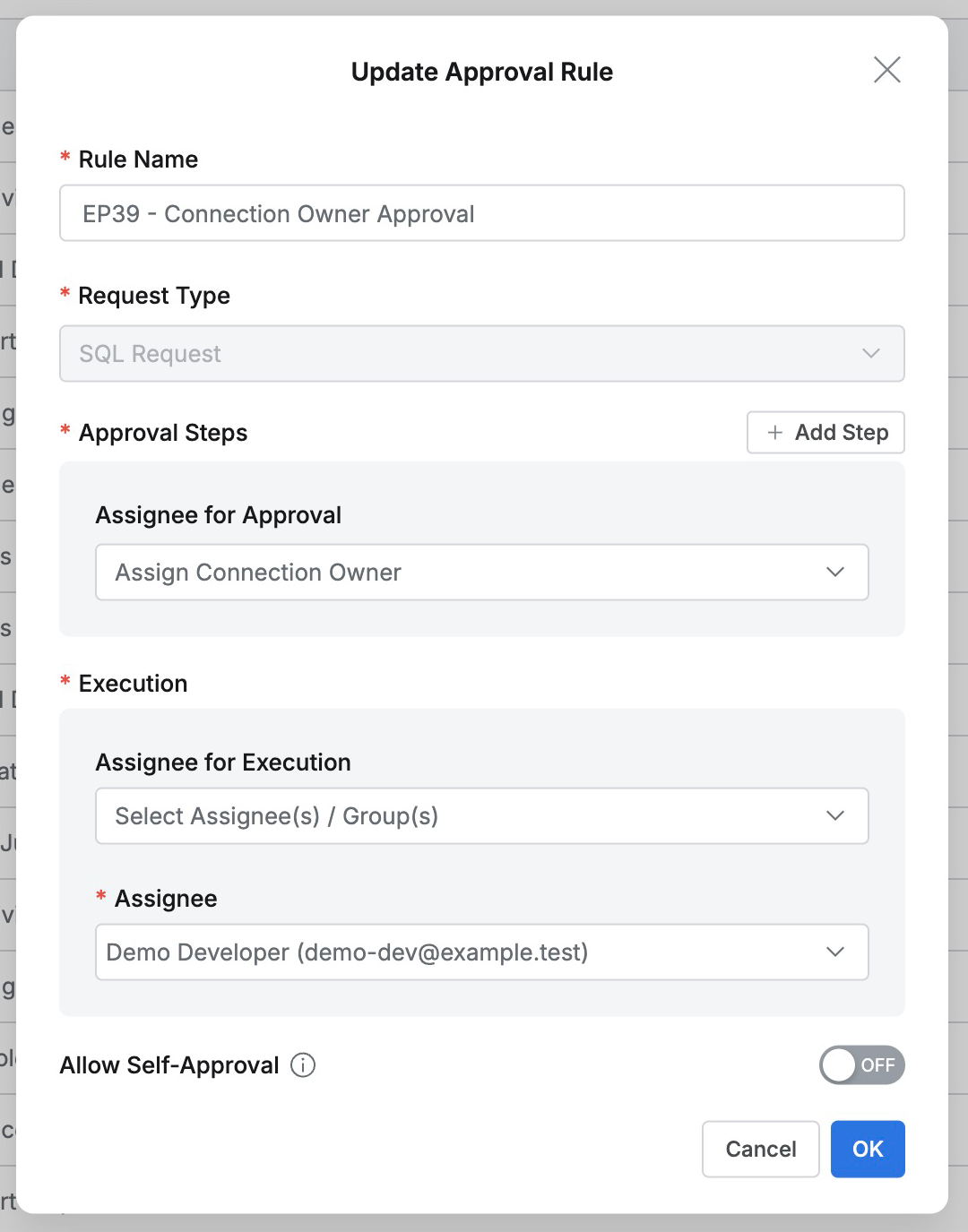
[Part 39] Changing the Database Owner Without Rewriting Approval Rules
Approval rules route SQL requests to reviewers, but must each rule be edited when the database owner changes? I used Connection Owner, processed one request, changed only the connection owner, and checked the next request’s assigned approver.
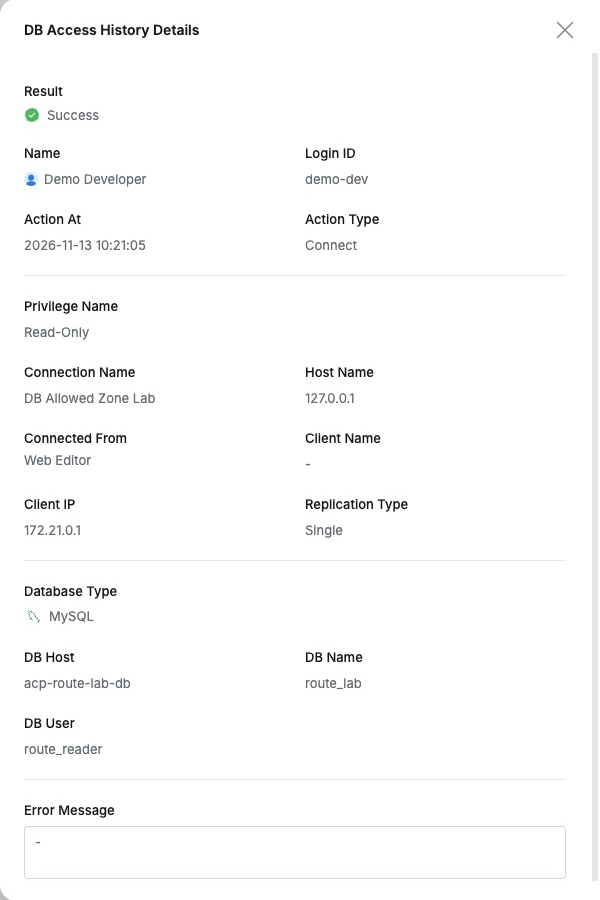
[Part 40] Keeping Database Privileges and Defining Allowed IPs
A user may need read access only from an approved network. I tried Allowed Zone, changing only allowed IPs while retaining user privileges, then restoring the original setting to verify access returned.
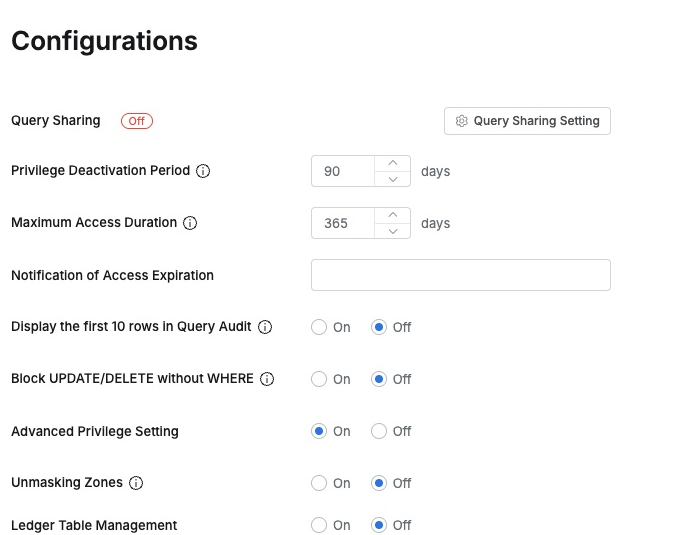
[Part 41] Mapping Read and Operational Privileges to Different Database Accounts
Database teams often separate read accounts from operational accounts. I mapped that distinction to QueryPie Advanced Privilege, verifying that the actual account changes with privileges and both identities remain in audits.
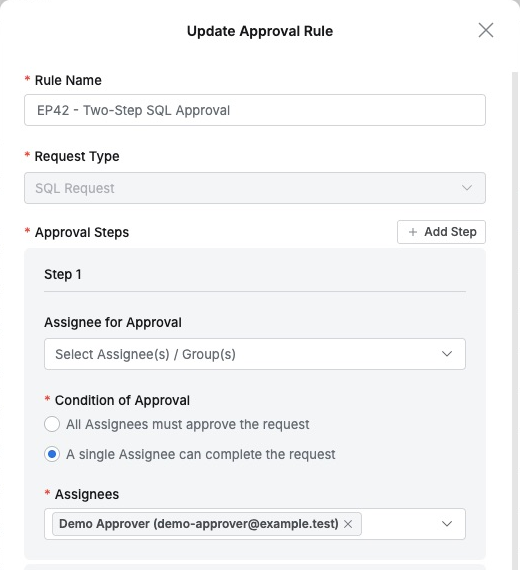
[Part 42] Adding Two-Step Approval to Database Work
Some database tasks need more than one reviewer: development checks SQL, then operations checks target and purpose. I built two sequential SQL Request approvals with different reviewers, then executed a one-order SELECT.
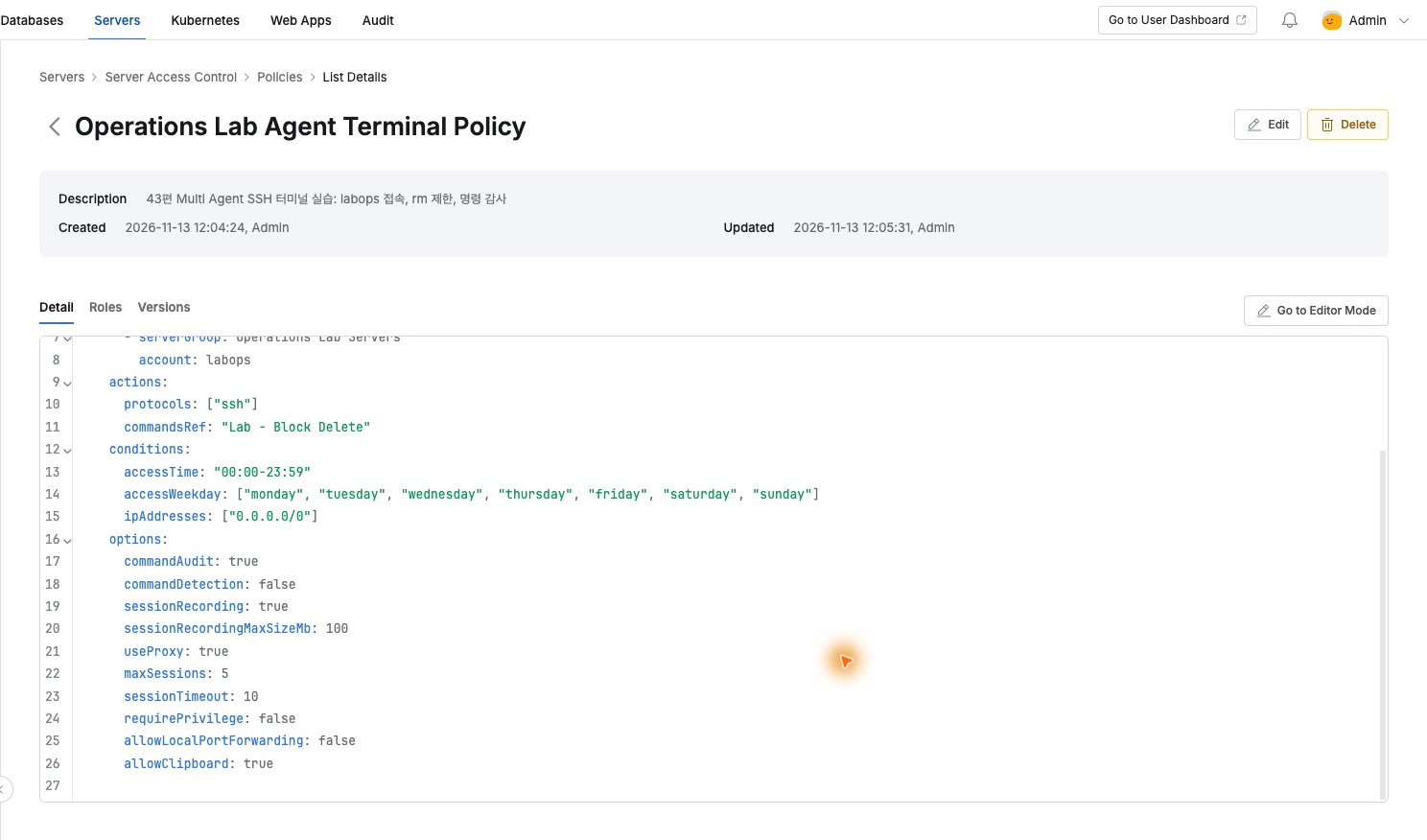
[Part 43] Connecting to Servers from My Everyday Mac Terminal
I wanted to keep inspecting accounts, files, and commands in my familiar terminal. I connected through Multi Agent from the Mac, tested normal commands and a restricted deletion, then reviewed connection and command audits in QueryPie.
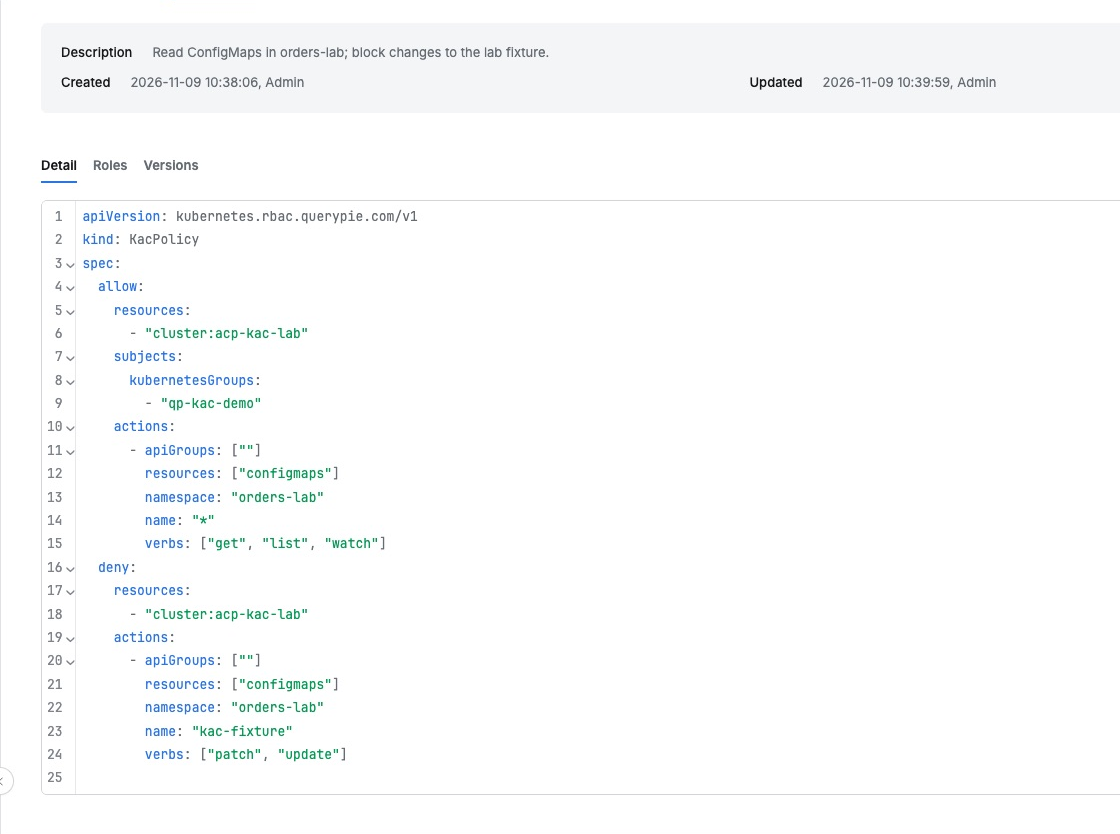
[Part 44] Separating Access Scope While Keeping kubectl
Kubernetes teams use kubectl daily and should not need a web UI for every check. I connected through Multi Agent, read a ConfigMap, attempted a change, and checked role-based handling in QueryPie.
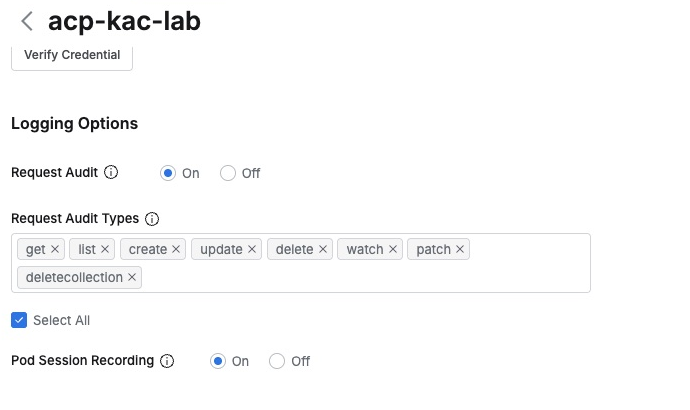
[Part 45] Replaying Work Inside a Container
Knowing someone entered a container raises the next question: what did they do and see? I performed a short test-Pod inspection and replayed Pod Session Recordings, linking access records to the actual terminal view.
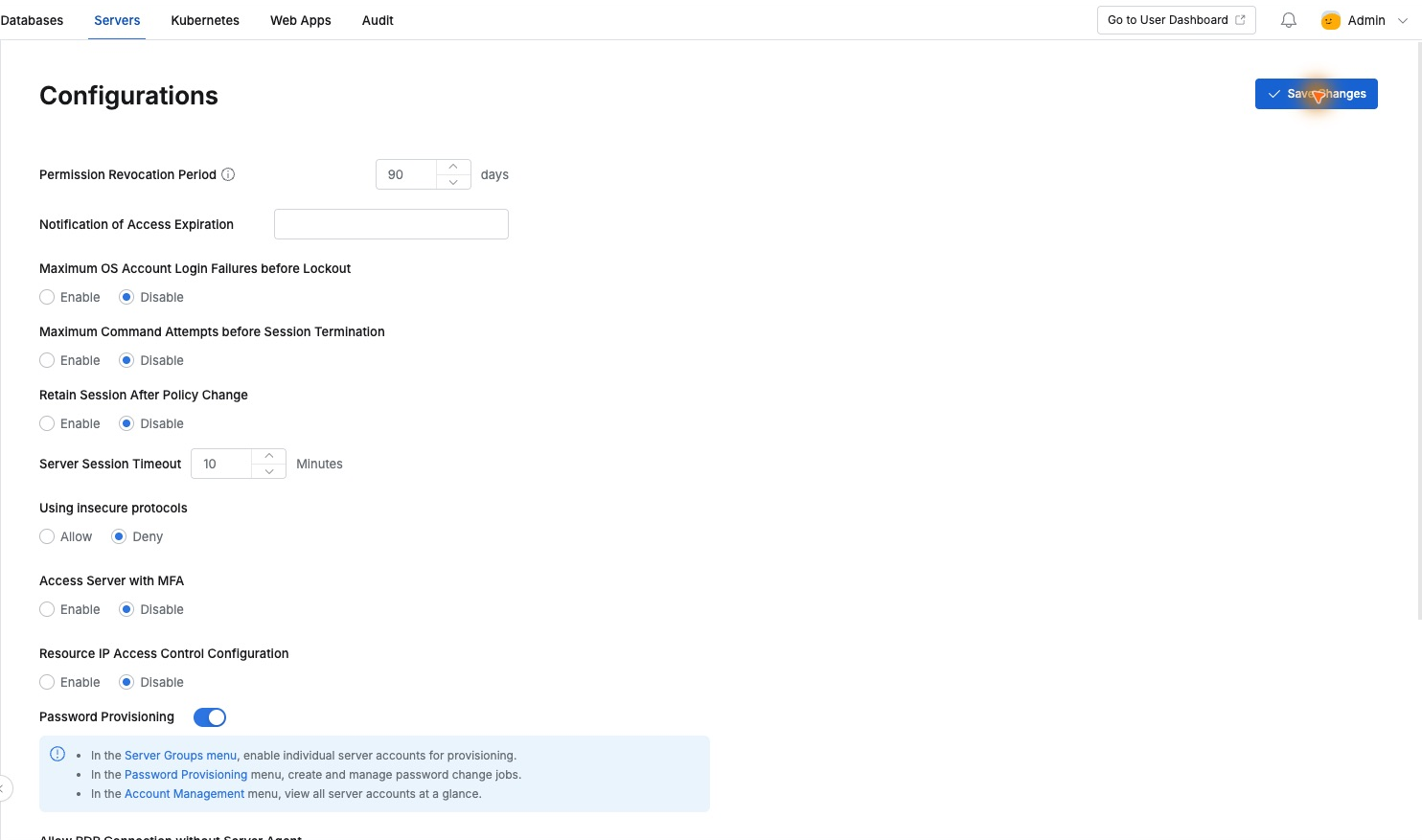
[Part 46] Changing a Server Account Password in QueryPie
A password change includes verifying access afterward and helping users reconnect, not just pressing a button. As servers grow, tracking rotations becomes difficult. I tried Password Provisioning on a test account, then connected and ran commands through QueryPie.
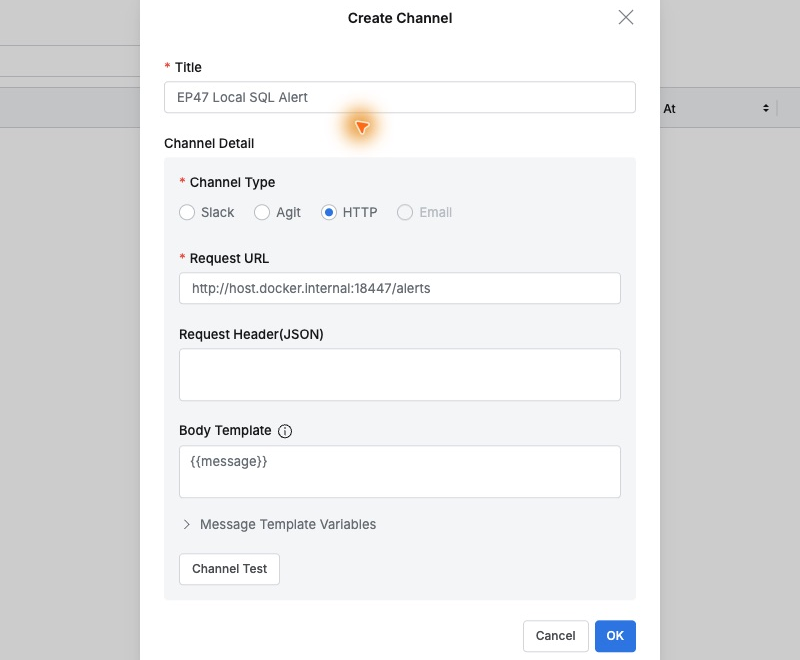
[Part 47] Receiving Alerts for Blocked SQL
Unauthorized SQL was already blocked, but could operators learn about attempts without constantly checking audits? I used Alerts, ran UPDATE with read-only access, and compared the delivered message with the audit.
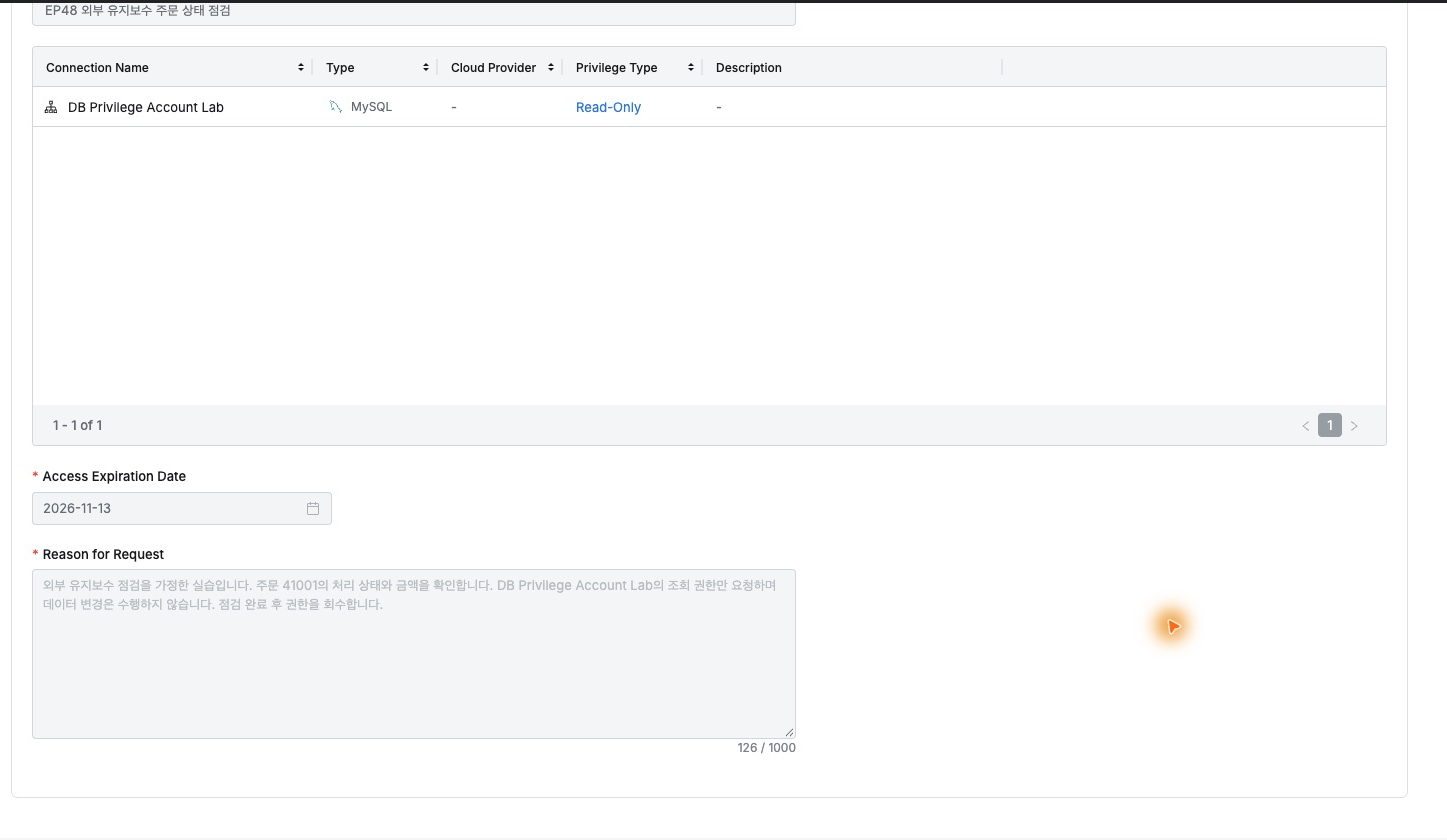
[Part 48] Delegating Only Necessary Work to External Maintenance Staff
External database checks need careful scope: order inspection does not require changes, and access should not remain after work ends. I followed a test contractor from read-access request through approval, inspection, revocation, and verification.
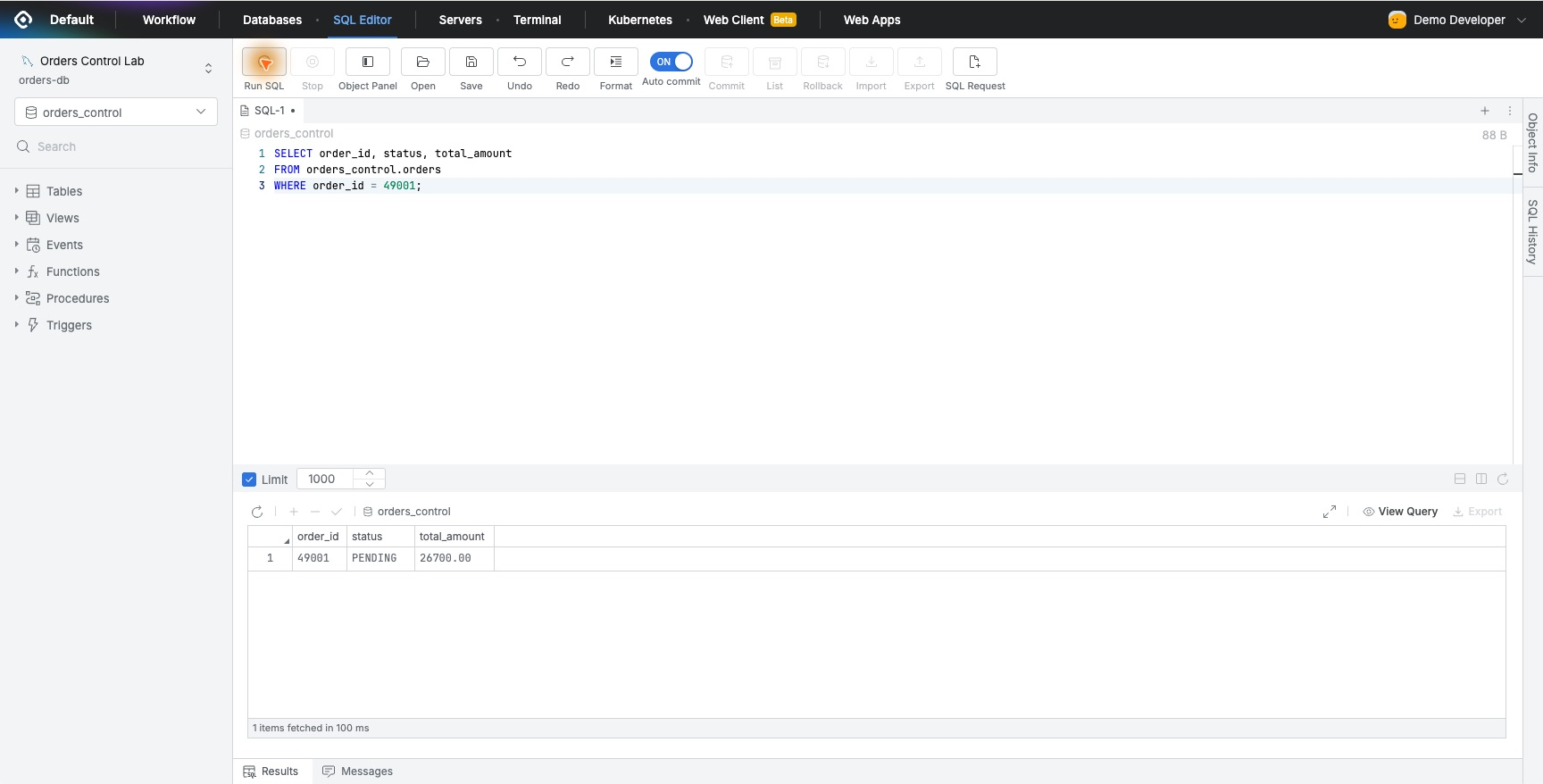
[Part 49] What records remain after changing a single order?
Changing a value in a production database often requires more than saying it is done. I followed one order correction through its justification, SQL approval, execution, before-and-after snapshots, and audit export.
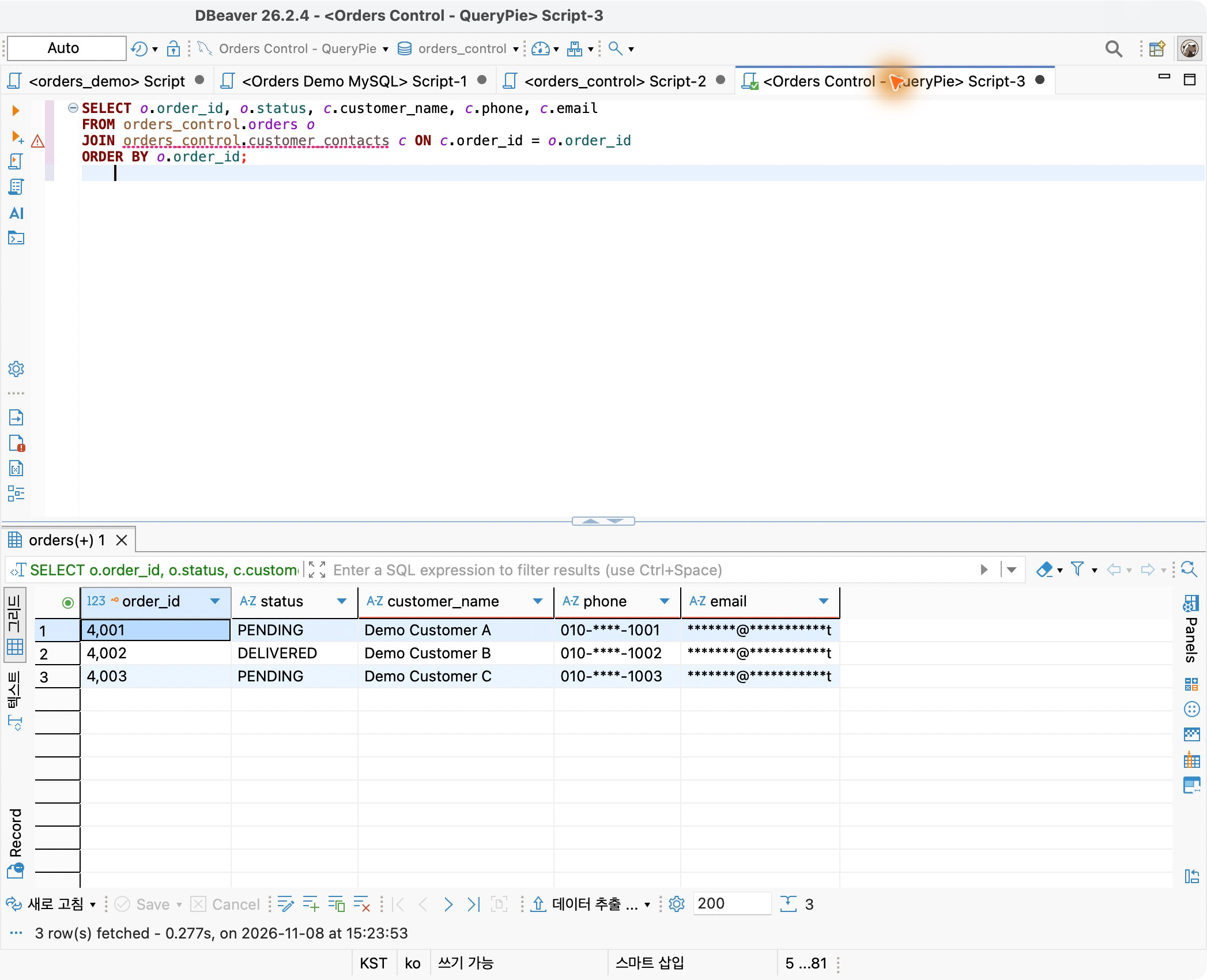
[Part 50] After a breach, how far can an attacker go? Reflections on the first ACP series
I began this series wondering how far an incident could spread after one account was compromised. After 50 hands-on posts covering databases, servers, and Kubernetes, I reflect on the controls I configured and the results I observed.
Stop Thinking.
Start Transforming.
